
Securing ChatGPT Enterprise Guide



9 Things to Do Today to Secure Your ChatGPT Enterprise Deployment
ChatGPT Enterprise is secure at the infrastructure level. The real gaps are in visibility and configuration. Here’s what to fix right now.
The Problem Isn’t OpenAI’s Infrastructure. It’s Yours.
ChatGPT Enterprise ships with genuine security controls: AES-256 encryption at rest, TLS 1.2+ in transit, SOC 2 Type II compliance, SAML SSO, and a contractual commitment to never train on your business data. That’s the good news.
The bad news is that ChatGPT has expanded from a single chat box into a sprawling product family that now includes core chat, custom GPTs, connected apps (formerly connectors), Codex for autonomous coding, Agent mode for browser automation, and Atlas as a full AI-native browser. Of course, the security controls available differ meaningfully across each one. Most organizations have not kept pace with this expansion.
Over 80% of Fortune 500 companies have registered ChatGPT accounts. Most lack a formal AI acceptable-use policy. Many have employees using personal accounts for work tasks that involve sensitive data, client information, and source code which bypasses many enterprise controls their IT team has configured.
This blog provides the highest-impact actions you (and your team) can take today.
Three Questions You Can Answer Right Now
1. Is ChatGPT training on my data?
No. On Enterprise, Business, and Edu plans, OpenAI does not use your data for model training by default. This is a contractual commitment documented on their Enterprise Privacy page. The “Improve the model for everyone” toggle is off by default in the ChatGPT desktop app, and the API platform’s data sharing controls are all disabled by default as well.
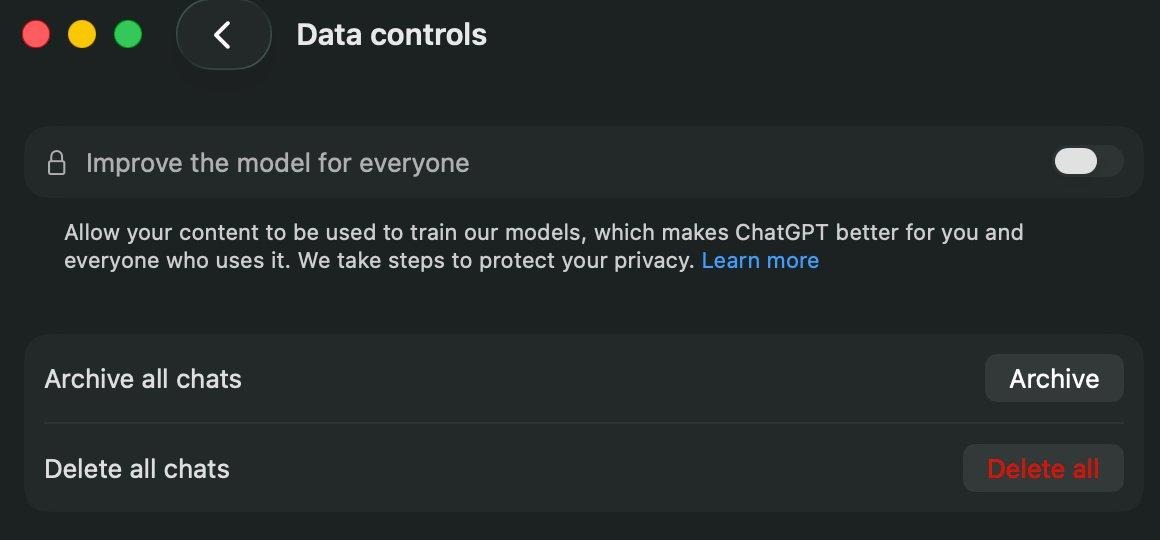
The ChatGPT desktop app’s Data Controls panel on an Enterprise plan. “Improve the model for everyone” is toggled off by default. Your conversations are not used for training.
On the API platform side, OpenAI provides granular controls under Data Controls with four separate tabs: Visibility, Hosted Tools, Sharing, and Data Retention. Every sharing option—model feedback sharing, evaluation and fine-tuning data sharing, and input/output sharing—defaults to Disabled.
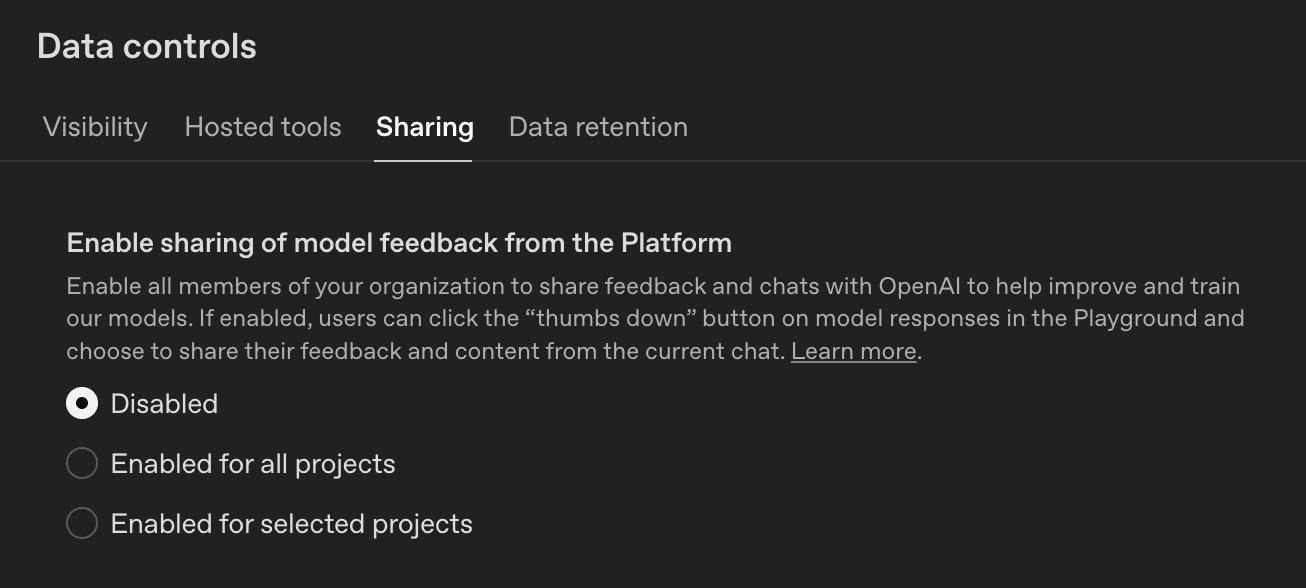
The API Platform’s Data Controls → Sharing tab. “Enable sharing of model feedback from the Platform” is set to Disabled by default.
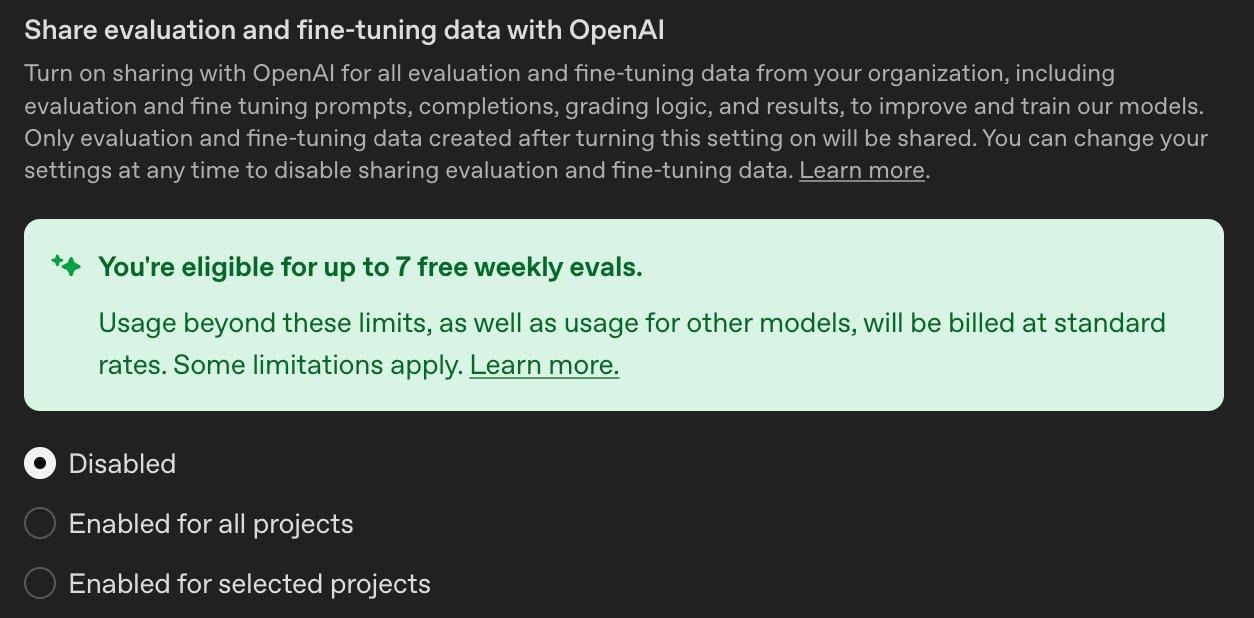
“Share evaluation and fine-tuning data with OpenAI” is also Disabled by default. Note the incentive: OpenAI offers free weekly evals if you opt in. Resist the temptation for regulated workloads.
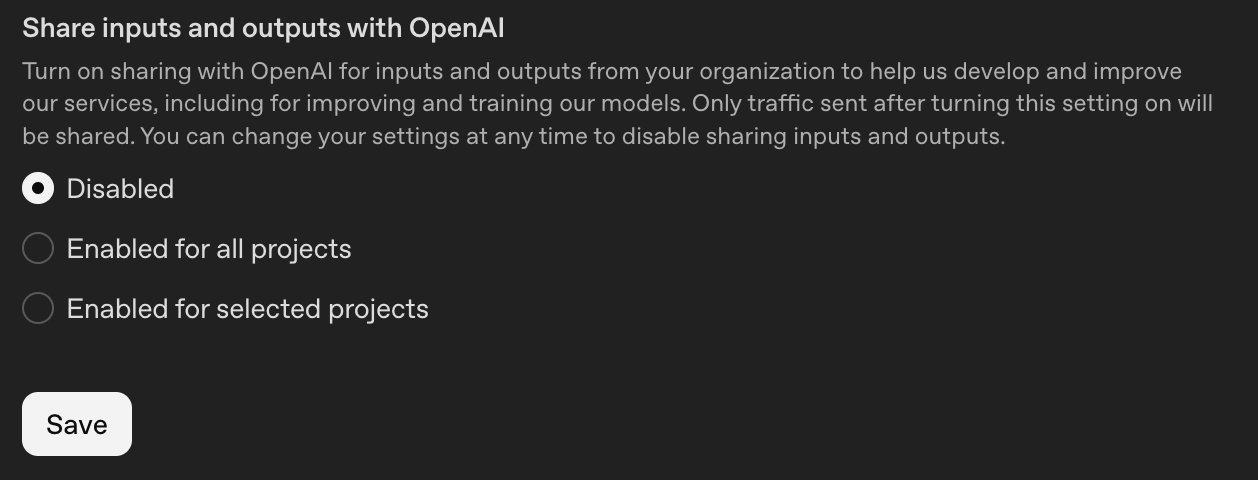
“Share inputs and outputs with OpenAI” is Disabled by default. Only traffic sent after enabling would be shared. All three sharing toggles are off by default for Enterprise plans.
Memory is also disabled by default on the ChatGPT desktop app, so you don’t need to worry about where memories are stored or how they’re processed during initial setup.
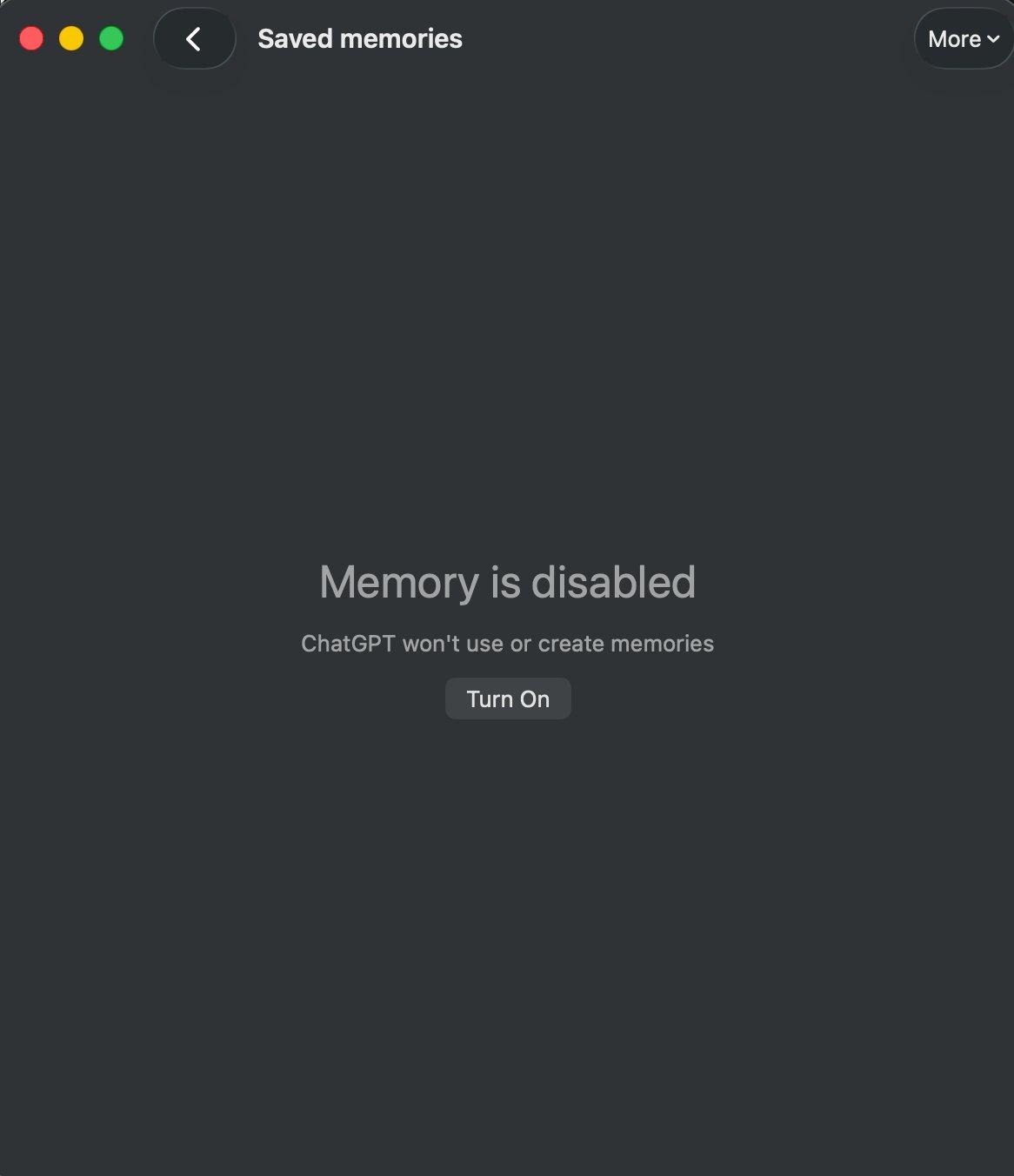
ChatGPT Memory is disabled by default on the desktop app for Enterprise plans. No memories are created or referenced until explicitly enabled.
However, there’s an important nuance worth checking: under the admin workspace settings, the “Allow members to use memory” toggle may be enabled at the workspace level even while memory appears disabled on individual desktop app installs. Workspace admins should verify both settings to ensure consistency; —the workspace-level toggle controls whether members can enable memory, while the desktop app toggle controls whether it’s currently active for that user.
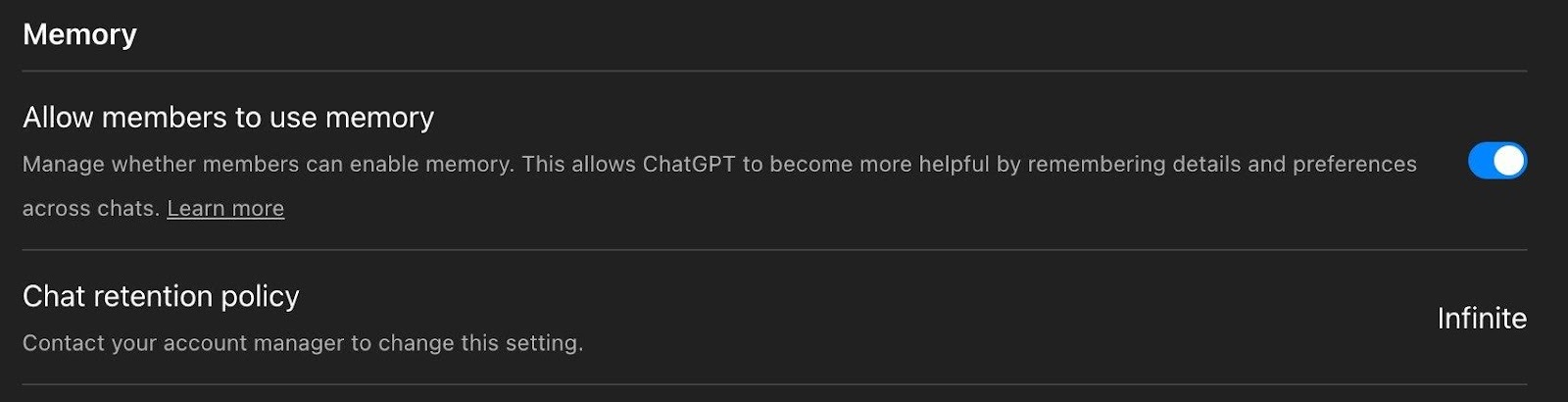
In the admin workspace settings, “Allow members to use memory” is toggled on and the Chat retention policy is set to Infinite. If you want memory fully disabled, turn this off at the workspace level too. Also note the retention policy: contact your account manager to change it from the default.
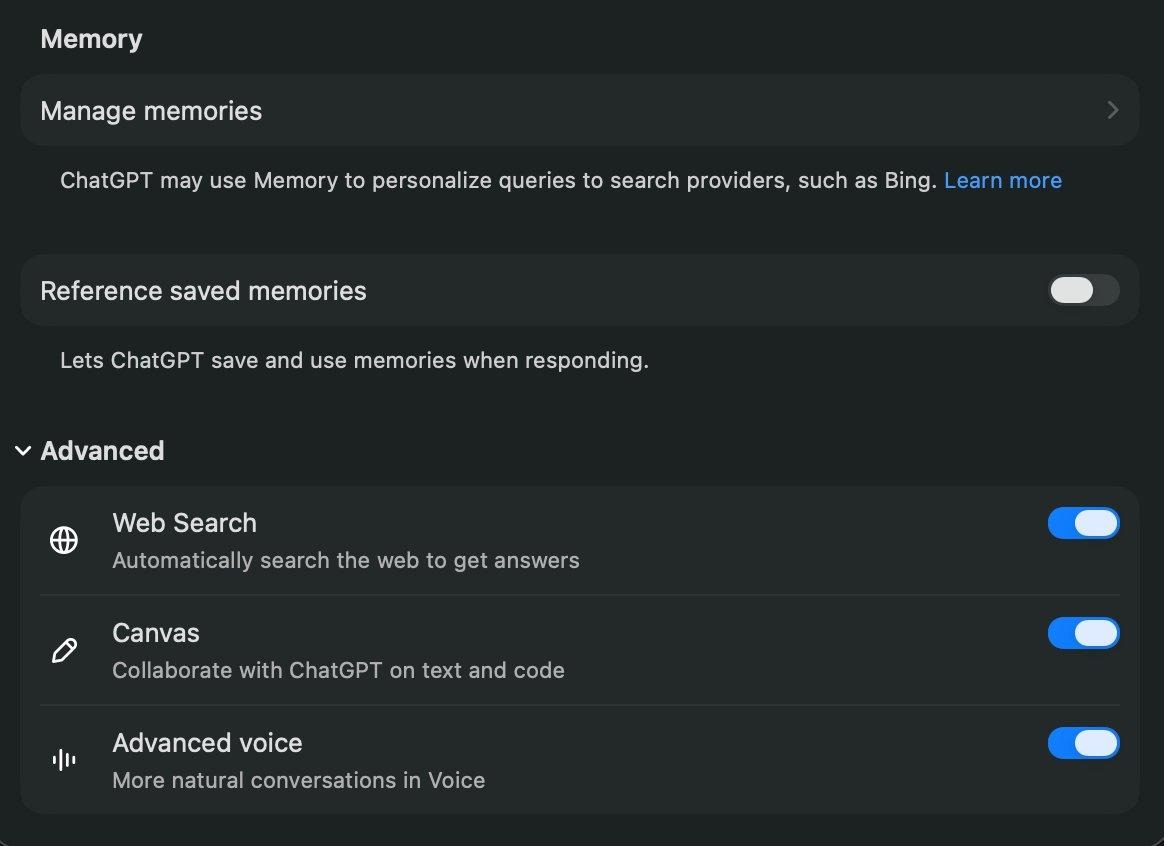
The individual user’s Memory and Advanced settings panel. “Reference saved memories” is toggled off here. The workspace admin toggle and the desktop app toggle are independent so ensure you check both.
2. Is it going to be a massive effort to get compliance logs into my SIEM?
It depends on your SIEM and setup, but OpenAI has reduced the barrier to entry considerably. The Compliance Logs Platform exports immutable, append-only JSONL log files covering ChatGPT audit events, authentication logs, Codex usage, and conversation data. OpenAI provides ready-to-use scripts for both Unix and Windows to download these logs, so you can start ingesting into your SIEM pipeline right away.
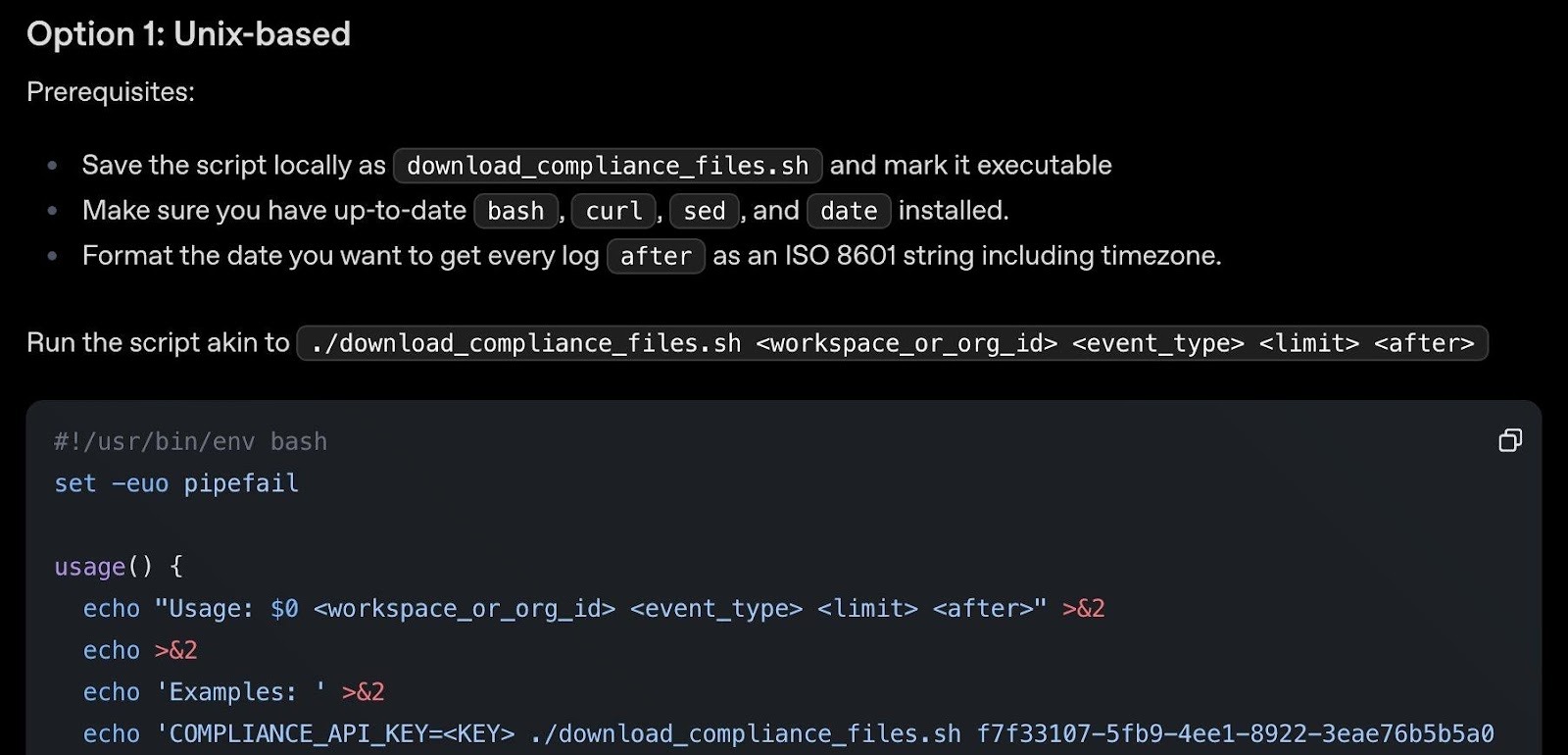
OpenAI’s download_compliance_files.sh script for Unix. Handles listing, paging, and downloading compliance log files for given event types and time ranges. Requires bash, curl, sed, and date.
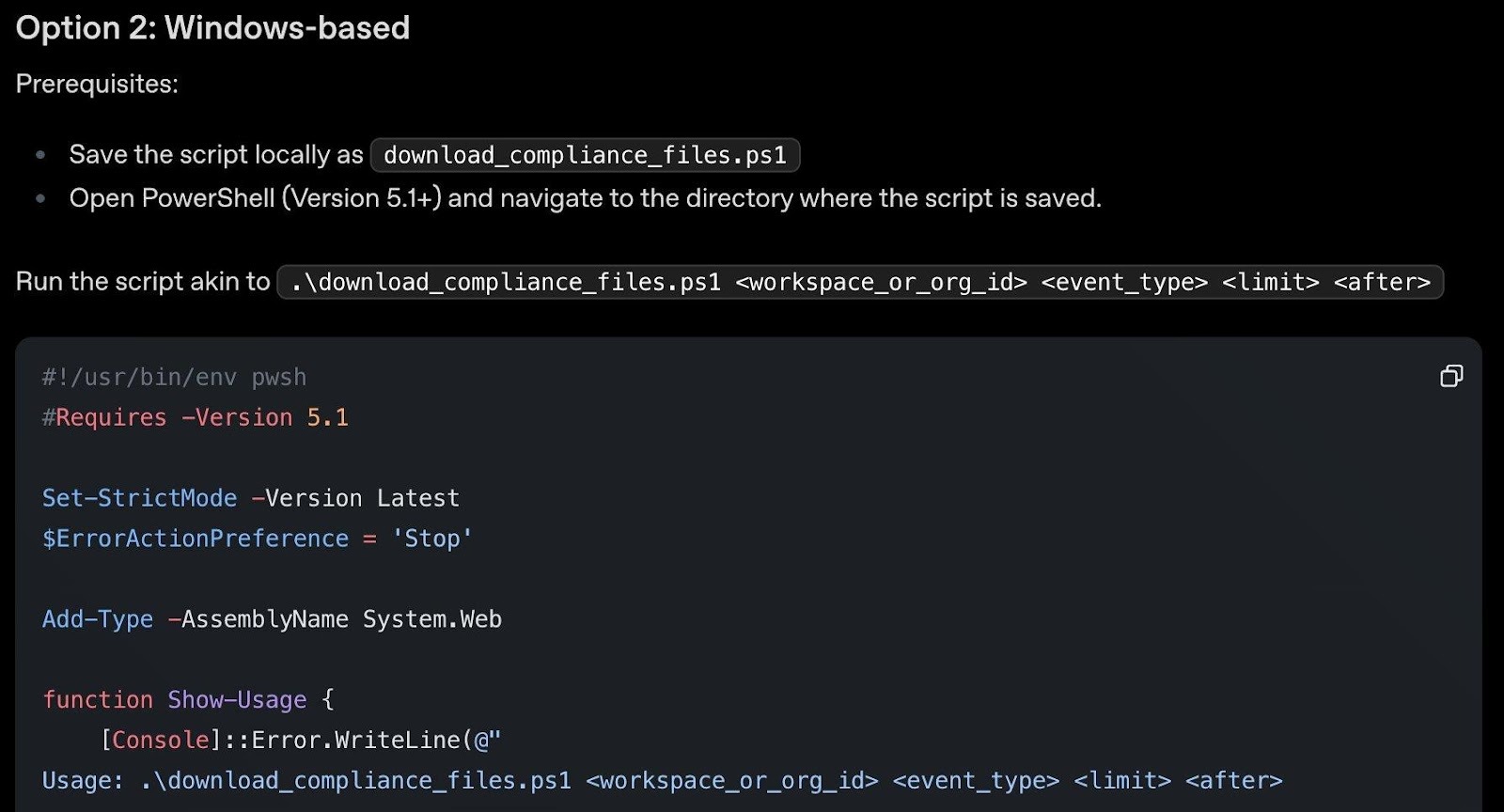
The equivalent download_compliance_files.ps1 PowerShell script for Windows. Same functionality for teams running Windows infrastructure. Requires PowerShell 5.1+.
In addition, 13 compliance API integrations are already built by leading eDiscovery and DLP companies including Microsoft Purview. The full API reference and a quickstart notebook are available for custom integrations. The platform retains logs for 30 days but you can implement continuous download for longer retention.
A few important defaults to check:
Audit logging for user actions and configuration changes is disabled by default on the API Platform. Once enabled, it cannot be disabled without contacting OpenAI. Enable it early to capture the full history.
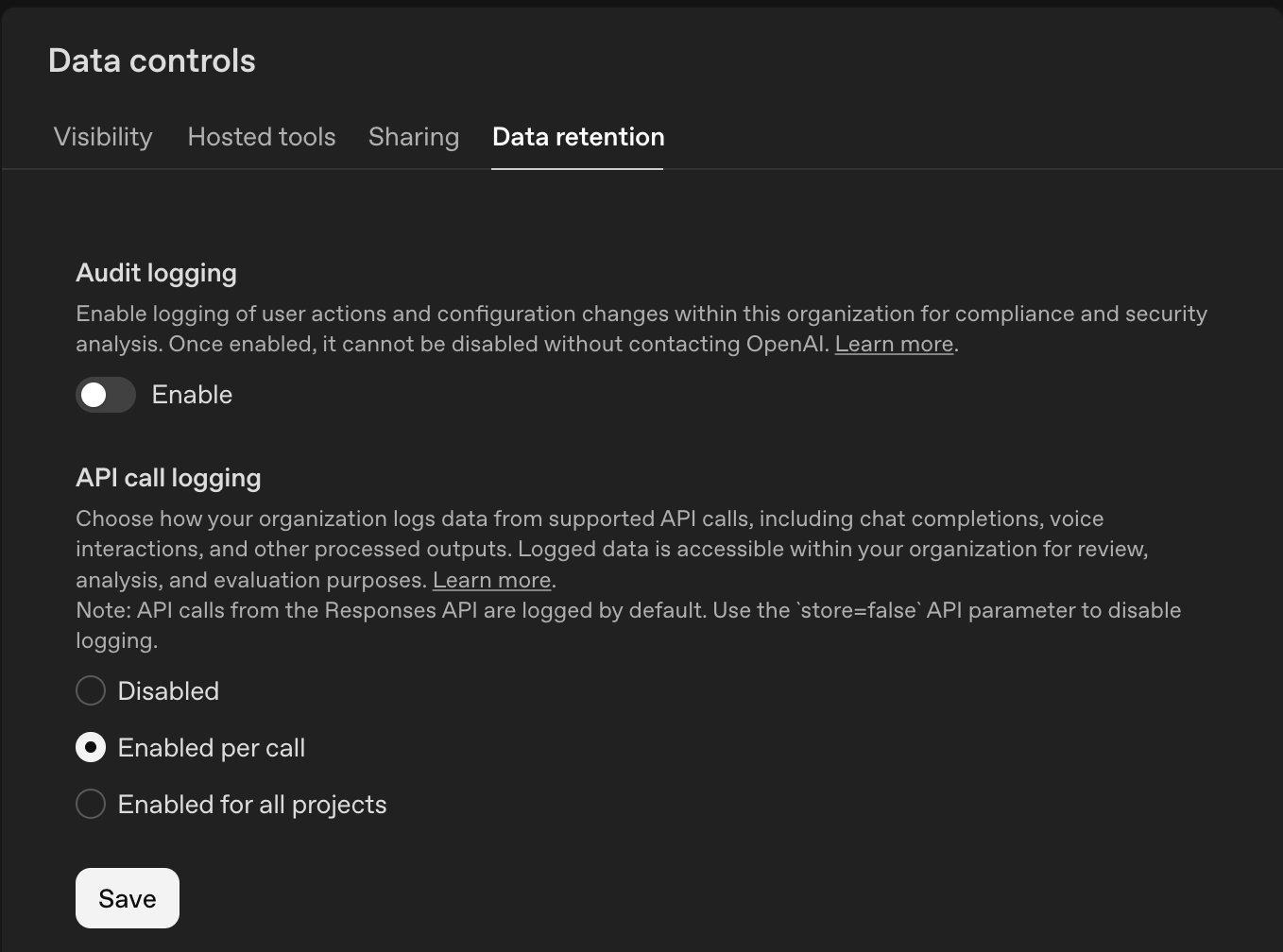
The API Platform’s Data Retention tab. Audit logging is disabled by default (once enabled, cannot be disabled without contacting OpenAI). API call logging is set to “Enabled per call” by default.
Hosted tools (MCP, web search, file search) are enabled for all projects by default on the API platform. Review whether your API-based applications actually need all of these capabilities.
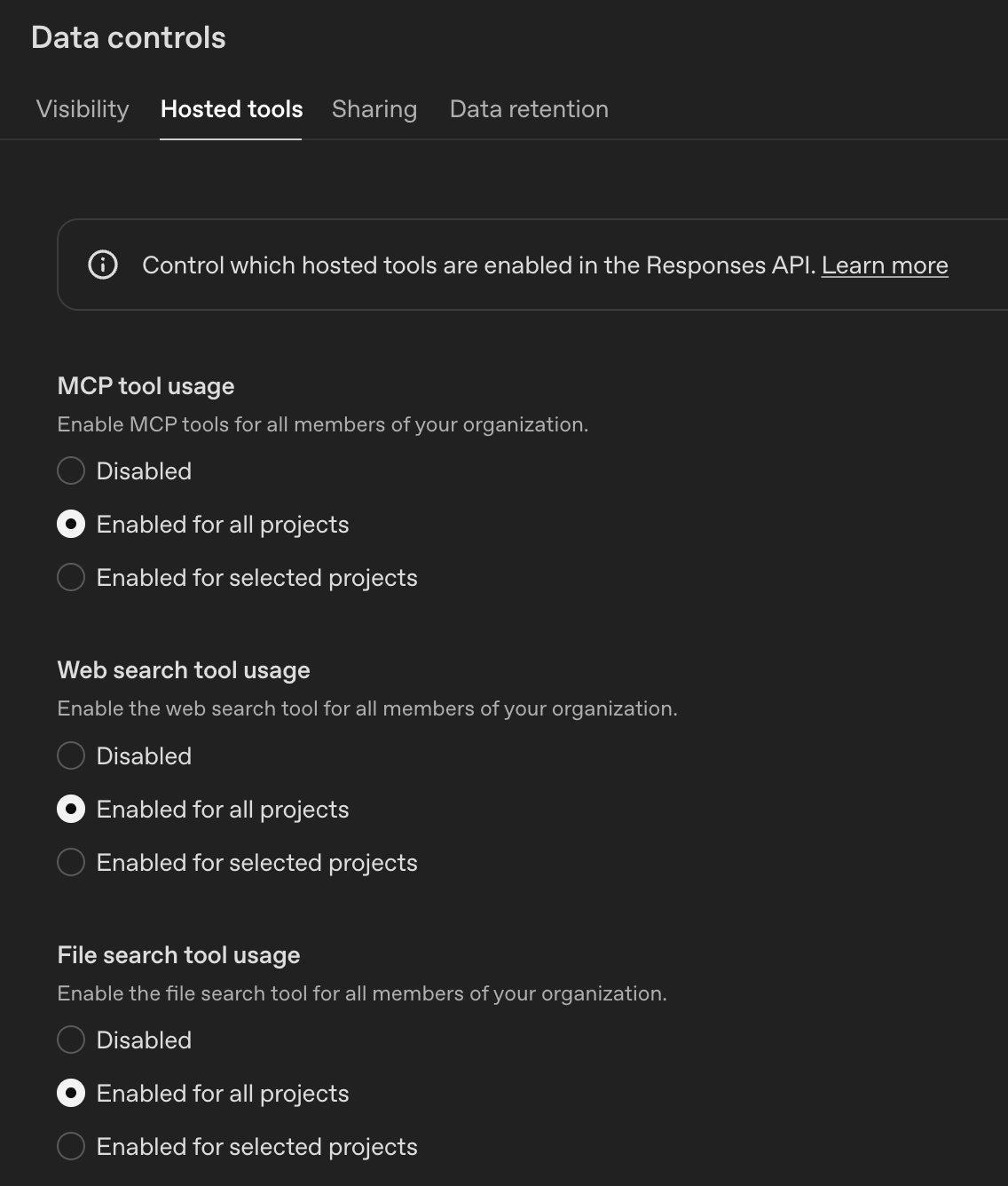
The Hosted Tools tab. MCP tool usage, Web search, and File search are all Enabled for all projects by default. Consider restricting to selected projects based on need.
On the ChatGPT Enterprise side, apps (connectors) for regular non-API users are disabled by default, which is the safer starting point.
3. What should I do if people are using AI tools but we don’t have a usage policy?
Get visibility first. Before you can write an effective policy, you need to know what’s actually happening. Solutions like Harmonic Security go beyond simple visibility to provide usage intelligence and effective guardrails that help educate users on responsible AI tool use rather than just block them. Understanding how employees are using AI tools is as valuable as knowing that they’re using them.
For a quick starting point, check out our upcoming follow-up blog post where we’ll provide ready-to-deploy PowerShell and Unix shell scripts that can be run via CrowdStrike RTR or any remote management platform to give you a point-in-time snapshot of ChatGPT desktop app and MCP tool usage across your endpoints. This won’t replace continuous monitoring, but it gives you something actionable today while you evaluate longer-term solutions.
This visibility data isn’t just useful for policy writing: it can guide purchasing decisions and help identify areas where purpose-built agents might be more effective (and more controllable) than ad-hoc employee usage. ChatGPT Enterprise provides some useful built-in analytics to help identify trends:
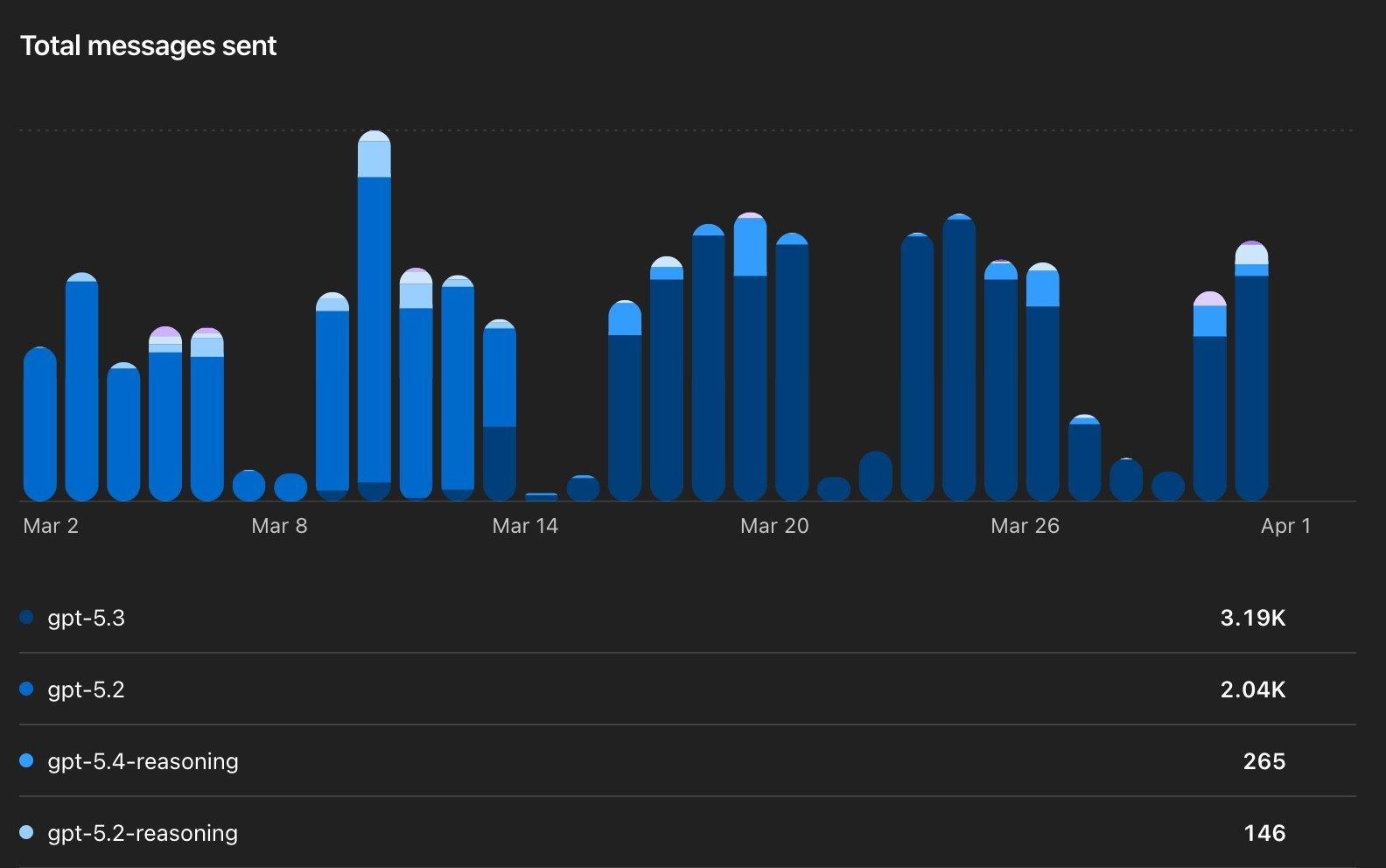
Total messages sent by model (GPT-5.3, GPT-5.2, GPT-5.4-reasoning, etc.). This tells you adoption volume and which models your team gravitates toward.
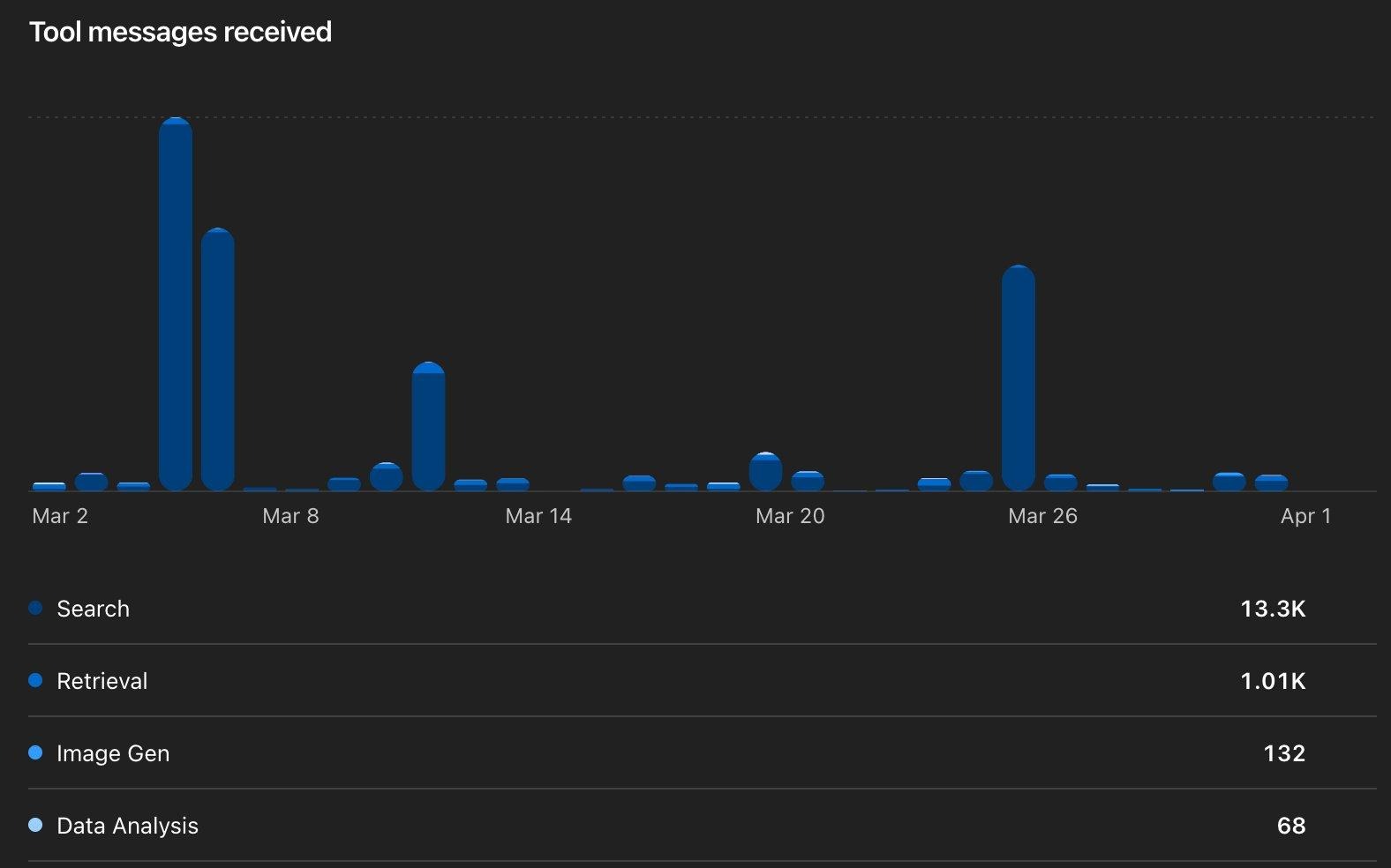
Tool messages received breaks down which capabilities are actually used: Search (13.3K), Retrieval (1.01K), Image Gen (132), Data Analysis (68).
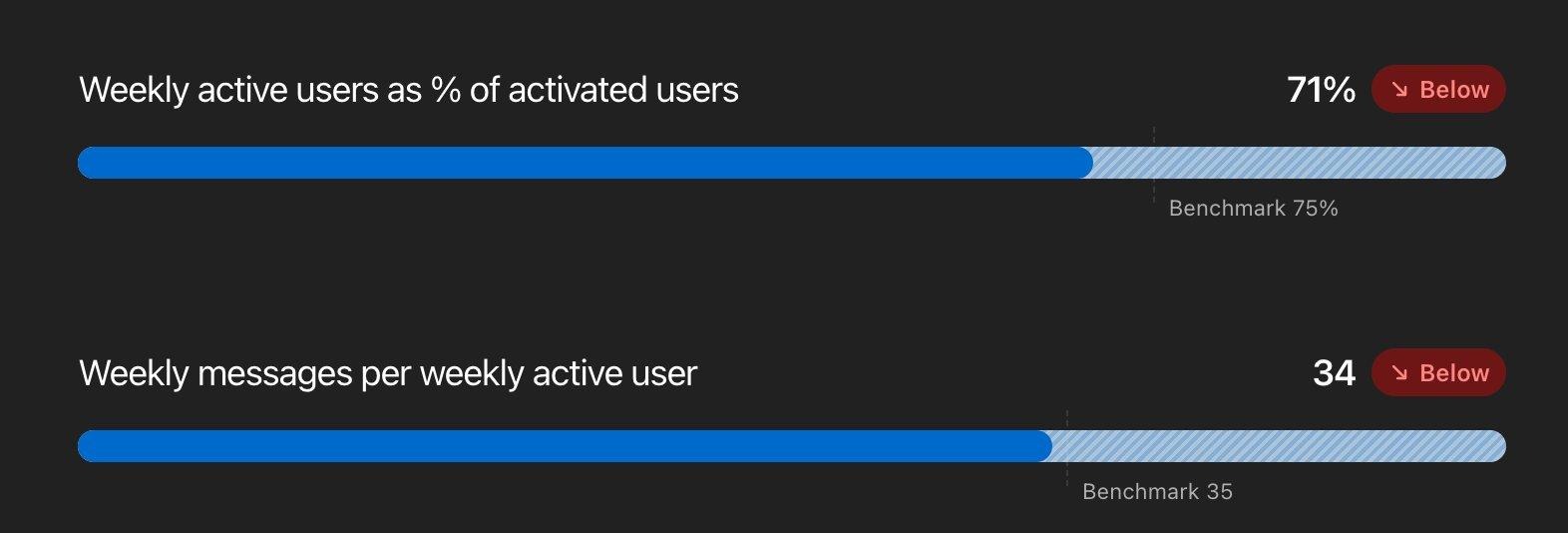
Engagement benchmarks: Weekly active users at 71% (below the 75% benchmark) and 34 messages/week (just below 35). Use these to gauge whether your deployment is gaining traction.

Workspace message classification provides an aggregated view categorizing messages into broad types. The classifiers “do not expose message content, uploaded files, other business data, or individual user data.”
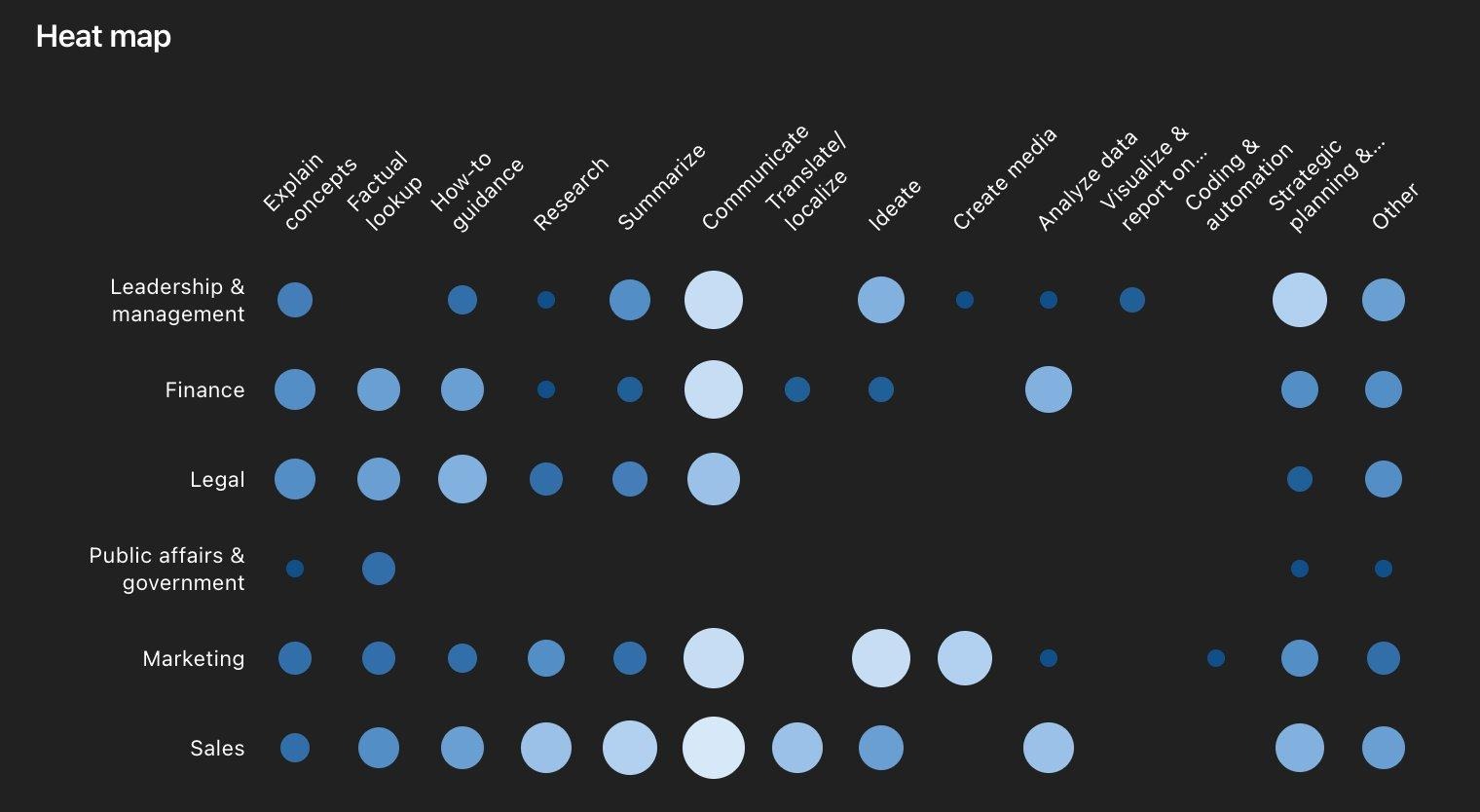
The Heat map breaks down usage by department and task type. This is gold for identifying where to focus governance and where agent pilots might have the most impact.
Know Your Risk Surface
Not all ChatGPT products carry the same risk. Use this to prioritize where you spend your time.
The 9 Things to Do Today
1. Enable the Compliance Logs Platform and route to your SIEM
This is the single biggest visibility gap most organizations have. OpenAI’s Compliance Logs Platform exports ChatGPT audit, authentication, and Codex usage logs as immutable JSONL files with minutes-level latency. As covered above, OpenAI provides ready-to-use download scripts for both Unix and Windows, plus a full API reference. Set SIEM alerts for anomalous patterns: unusual off-hours usage, bulk data interactions, or unexpected Codex activity.
Don’t forget the API Platform side: enable Audit logging under Data Controls → Data Retention. Once enabled, it cannot be disabled without contacting OpenAI—which is a security feature, not a bug.

Audit logging on the API Platform is disabled by default. Enable it early to capture the full history of configuration changes.
2. Audit your app and connector inventory
Go to Workspace Settings → Apps and review what’s enabled. On Enterprise, apps are disabled by default—but on Business plans, they’re enabled by default. Use RBAC to restrict which roles can access each app.
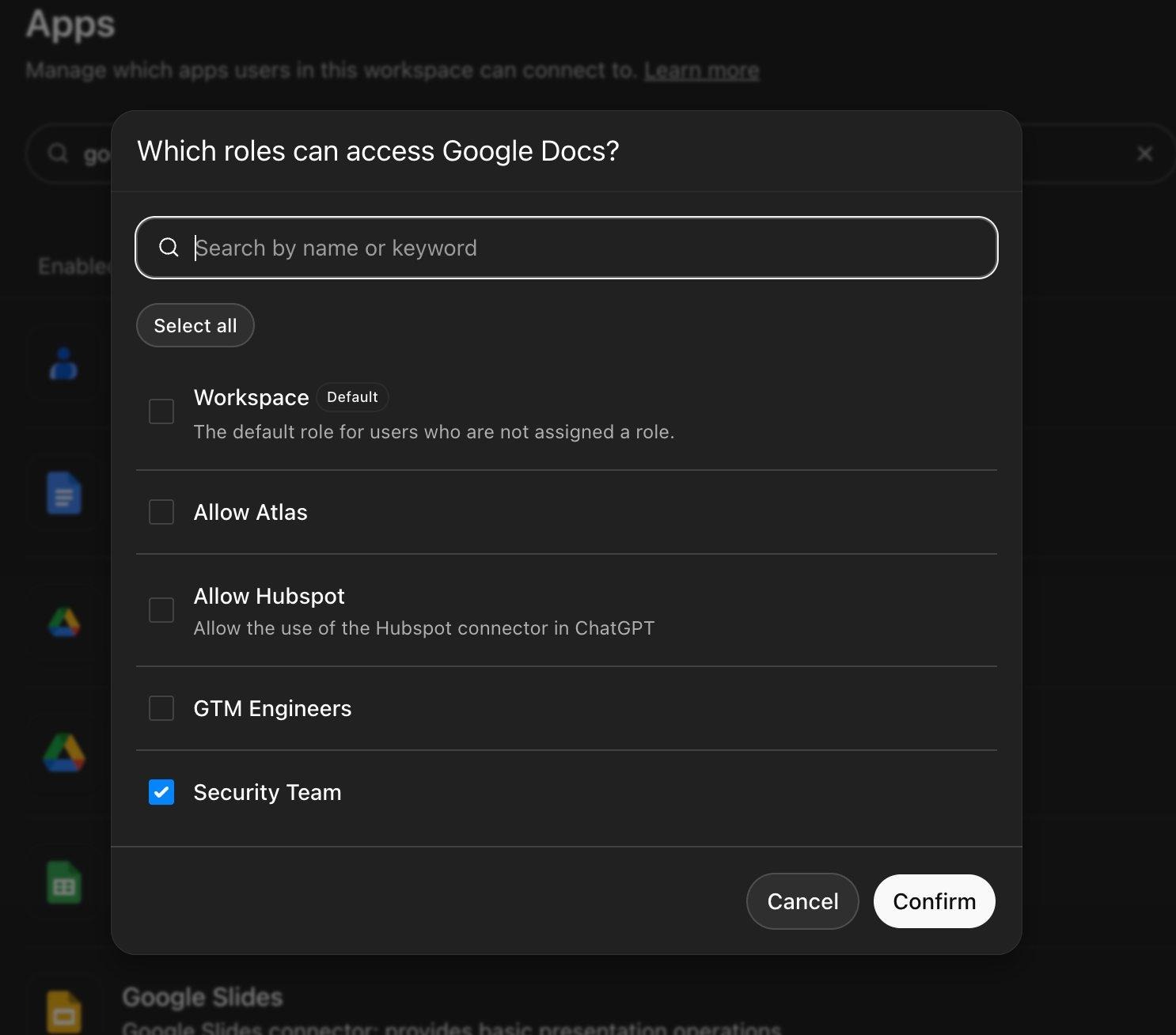
The RBAC role picker for Google Docs. Custom roles like “Security Team” and “GTM Engineers” control per-app access. The default “Workspace” role is unchecked—regular members don’t have access.
Click Manage Actions for each app. Actions are tagged with risk labels: WRITE, OPEN WORLD, and DESTRUCTIVE. New write actions are disabled by default, but verify this.
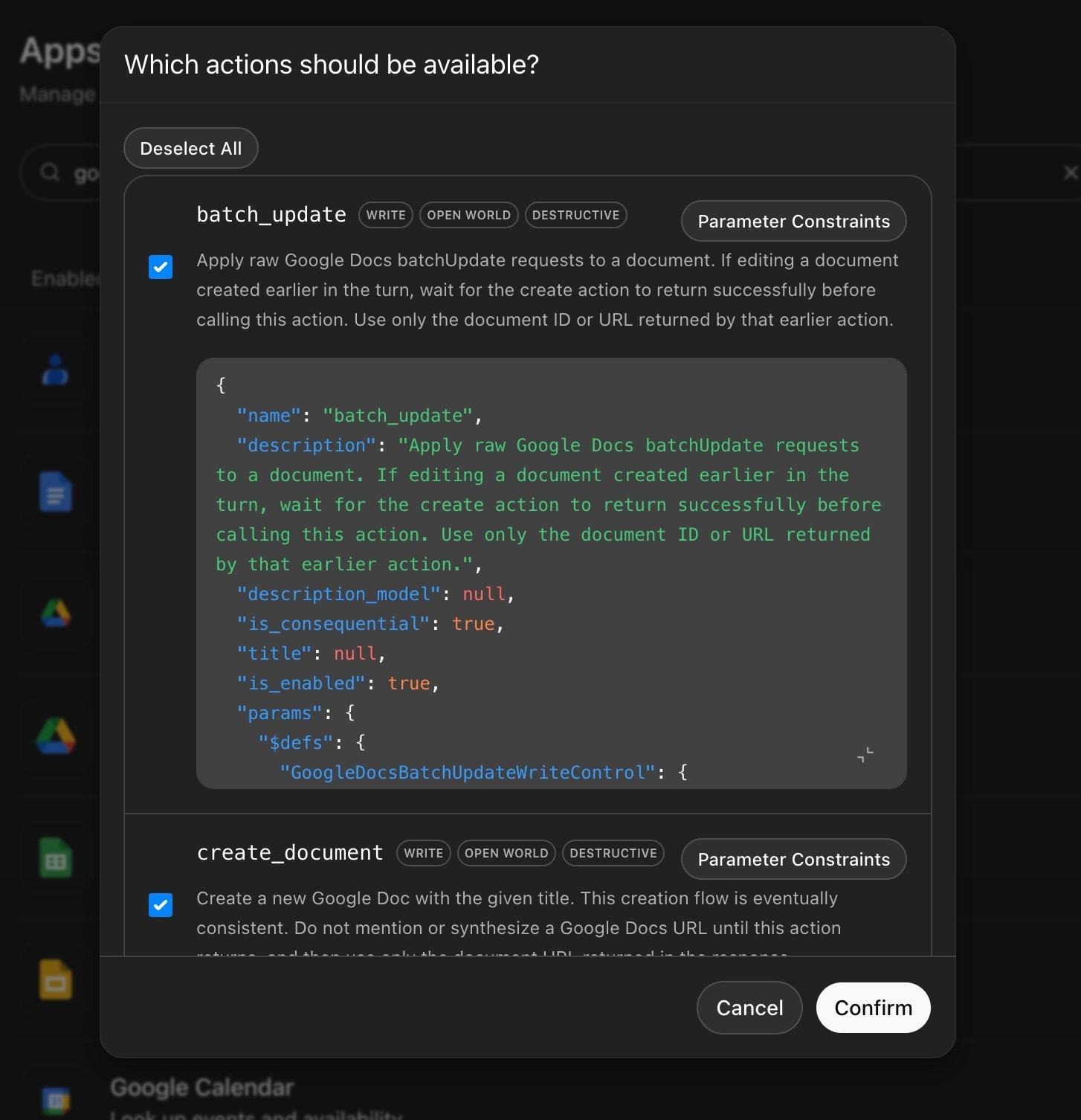
The Manage Actions panel for Google Docs. Note WRITE, OPEN WORLD, and DESTRUCTIVE tags on batch_update and create_document. Review each action and disable any write/destructive operations your workflows don’t require.
Review action confirmation settings. The default prompts users before consequential actions. Be cautious before enabling silent read actions as OpenAI warns this can share OTPs and PII.
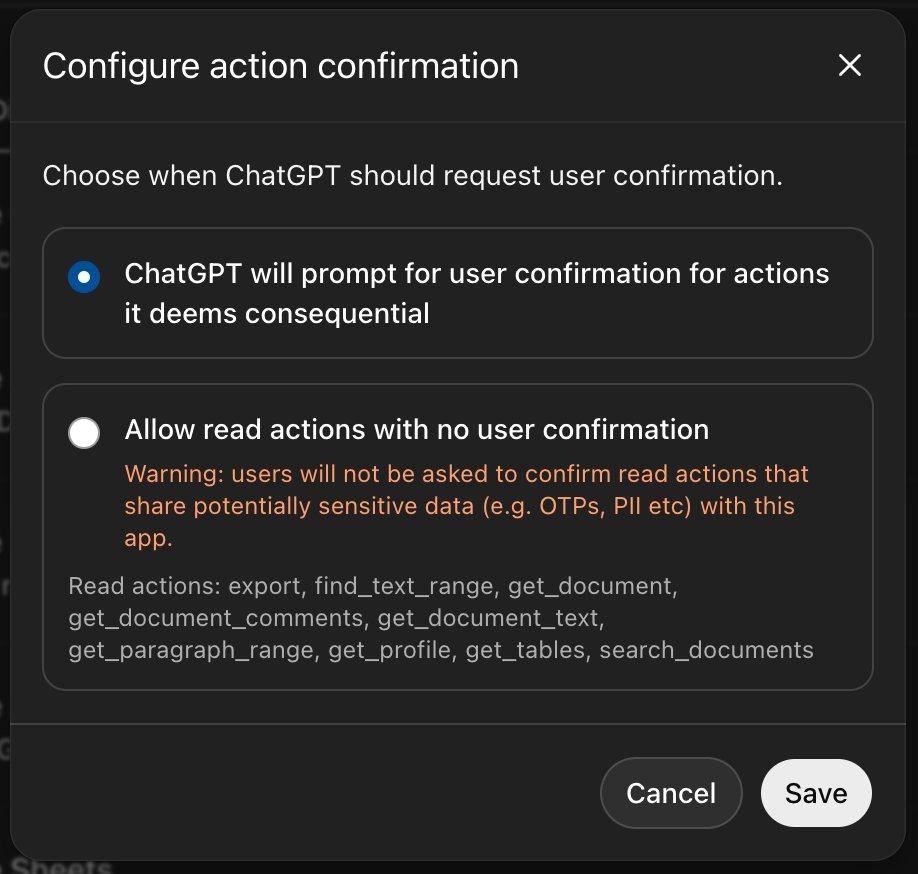
Keep the default: prompt for confirmation on consequential actions. The alternative carries an explicit warning about sharing sensitive data.
3. Get visibility into AI tool usage across your organization
Your enterprise controls mean nothing if employees are pasting sensitive data into personal ChatGPT accounts or other AI tools you don’t manage. Solutions like Harmonic Security go beyond basic visibility to provide usage intelligence and effective guardrails that help educate users on responsible AI tool use.
For a quick starting point, stay tuned for our upcoming follow-up blog where we’ll provide ready-to-deploy PowerShell and Unix shell scripts that you can run via CrowdStrike RTR or any remote management platform to get a point-in-time snapshot of ChatGPT desktop app and MCP tool usage across your endpoints. It’s not a substitute for continuous monitoring, but it gives you something actionable today while you evaluate longer-term solutions.
4. Verify your domain, confirm SCIM is syncing, and check provisioning settings
Domain verification captures employees who signed up with their work email on a personal plan. Without domain capture, you have a shadow workforce using ChatGPT with your company’s email addresses but zero governance. Confirm that SCIM provisioning is syncing with your identity provider for automatic lifecycle management.
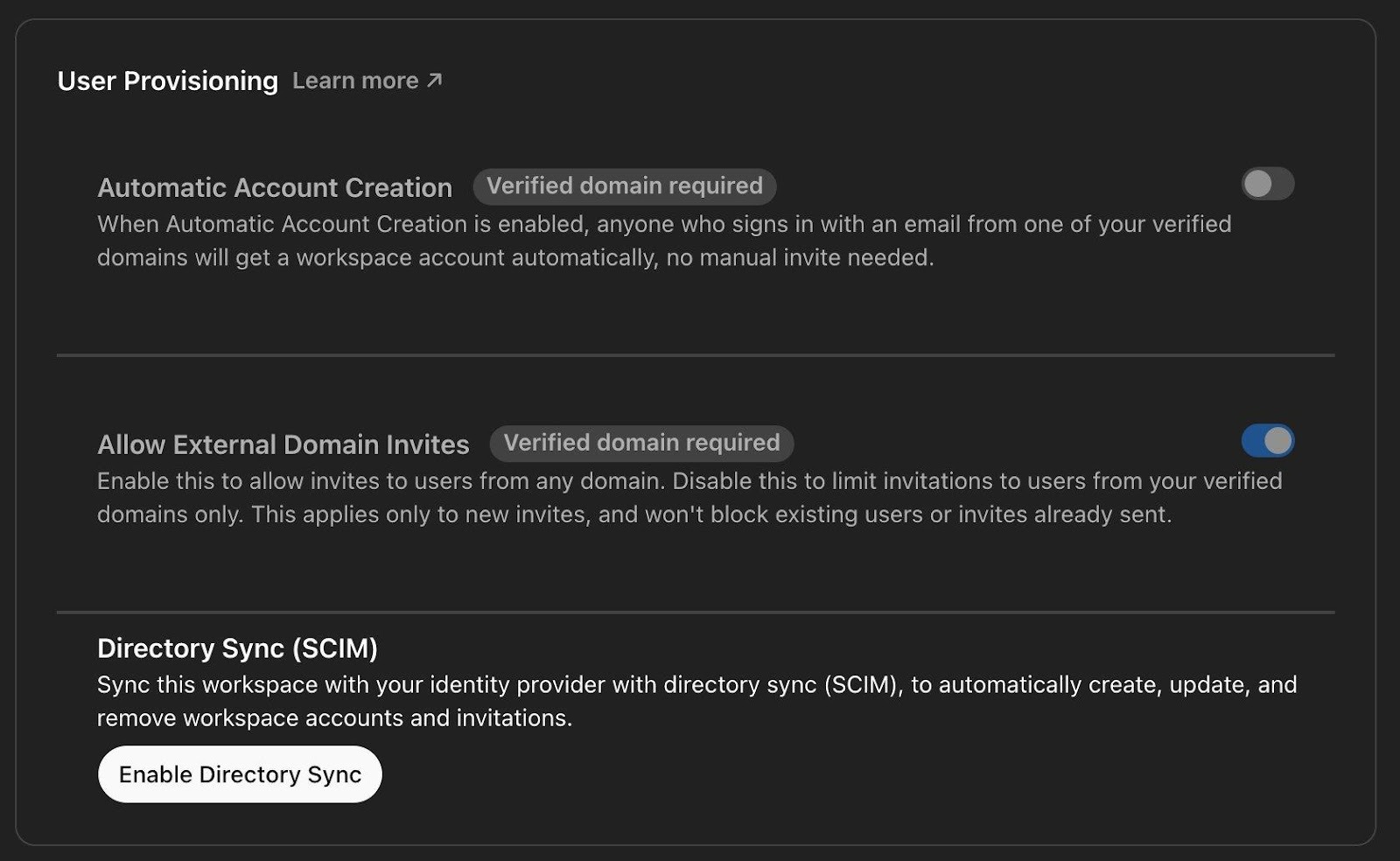
The User Provisioning panel under Identity & Access. Automatic Account Creation (requires verified domain) auto-enrolls users signing in with your domain email. Allow External Domain Invites controls whether non-domain users can be invited. Directory Sync (SCIM) connects to your IdP for automatic account creation, updates, and removal.
While you’re in the Identity & Access settings, also check the Access Restrictions tab. ChatGPT Enterprise supports workspace-level IP allowlisting as well as a separate Compliance API IP allowlist. The workspace allowlist is inactive by default—consider enabling it if your organization restricts access to corporate networks or VPNs.
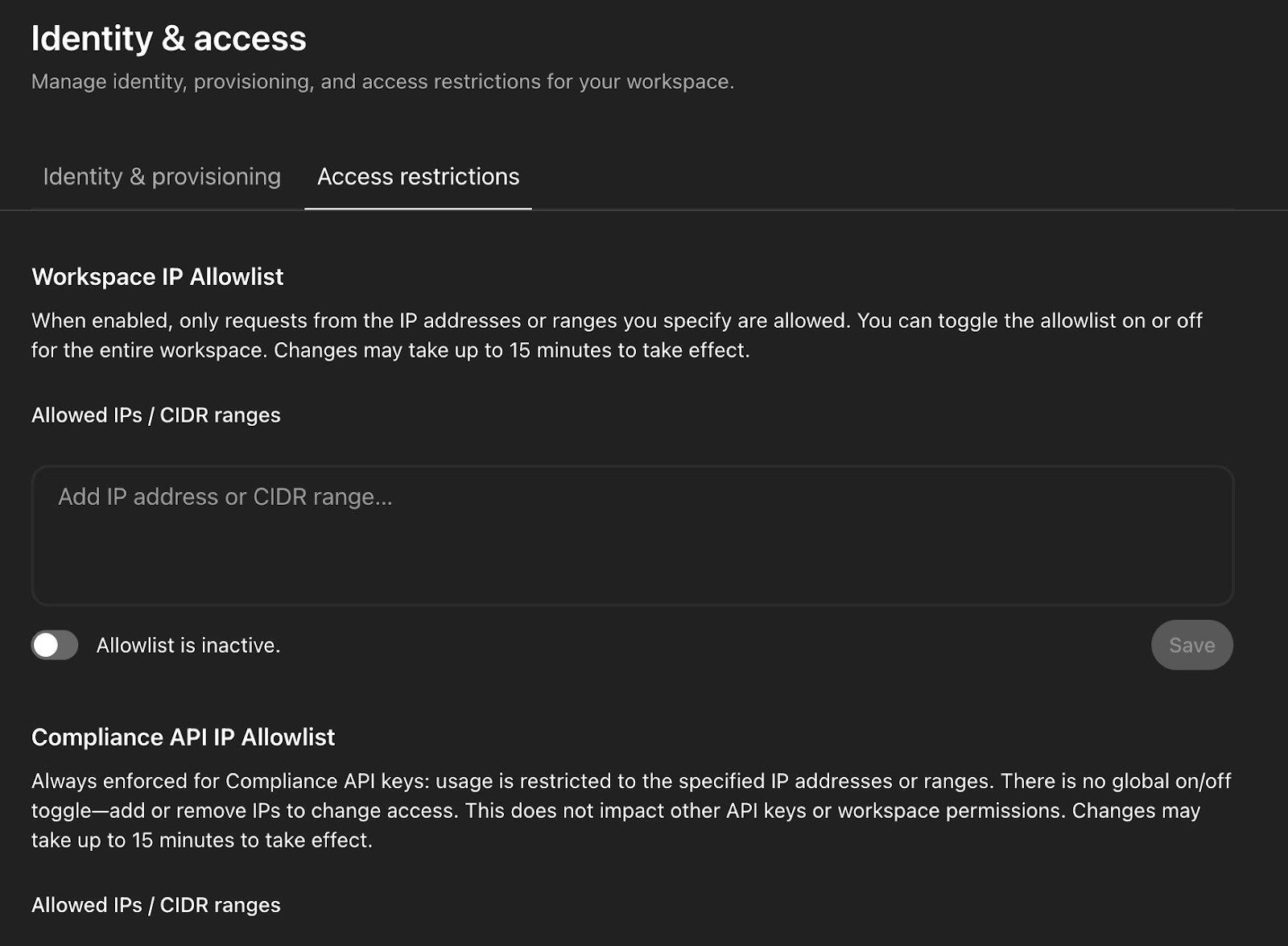
The Workspace IP Allowlist restricts ChatGPT access to specified IP addresses or CIDR ranges. Below it, the Compliance API IP Allowlist is always enforced for Compliance API keys. There’s no global on/off toggle for that one.
5. Lock down Codex: access, sandbox, connectors, and credentials
Codex is the most powerful (and most complex) product in the ChatGPT Enterprise family. It can autonomously write code, create pull requests, execute shell commands, connect to GitHub/Slack/Linear, and run multiple agents in parallel. The Feb 2026 vulnerability patches (DNS exfiltration, GitHub token extraction) proved the attack surface is real. This one deserves a thorough walkthrough.
Step 1: Restrict access via workspace admin settings. The workspace settings give you granular control over both Codex Local (CLI, IDE extension, desktop app) and Codex Cloud (web, mobile, code review, Slack). Use RBAC to restrict access to vetted developer groups.
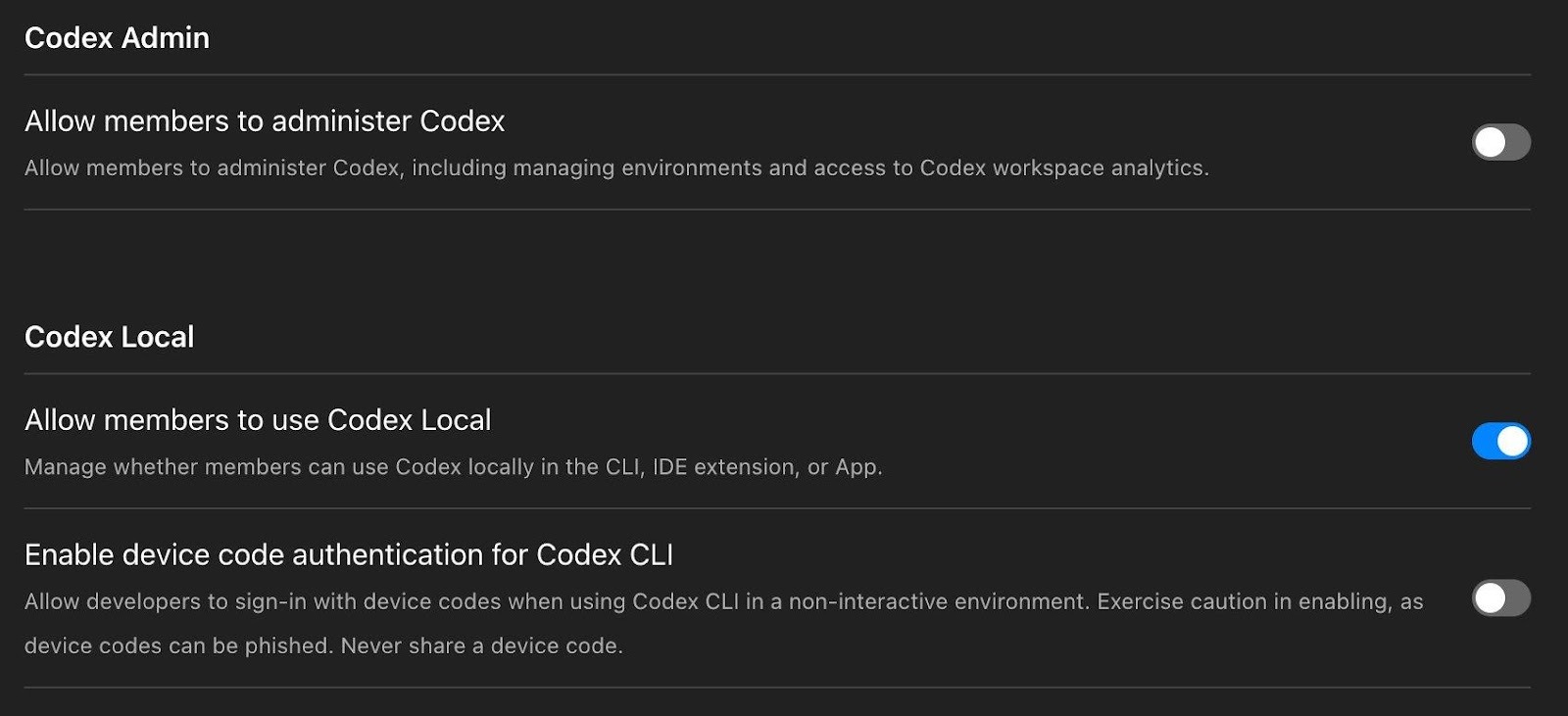
Codex Admin and Codex Local workspace settings. Member administration is off by default. Codex Local (CLI, IDE extension, App) is enabled—review whether all developers need local access. The device code authentication toggle is off by default with an explicit phishing warning: “Exercise caution in enabling, as device codes can be phished.” (Codex Enterprise Admin Setup)
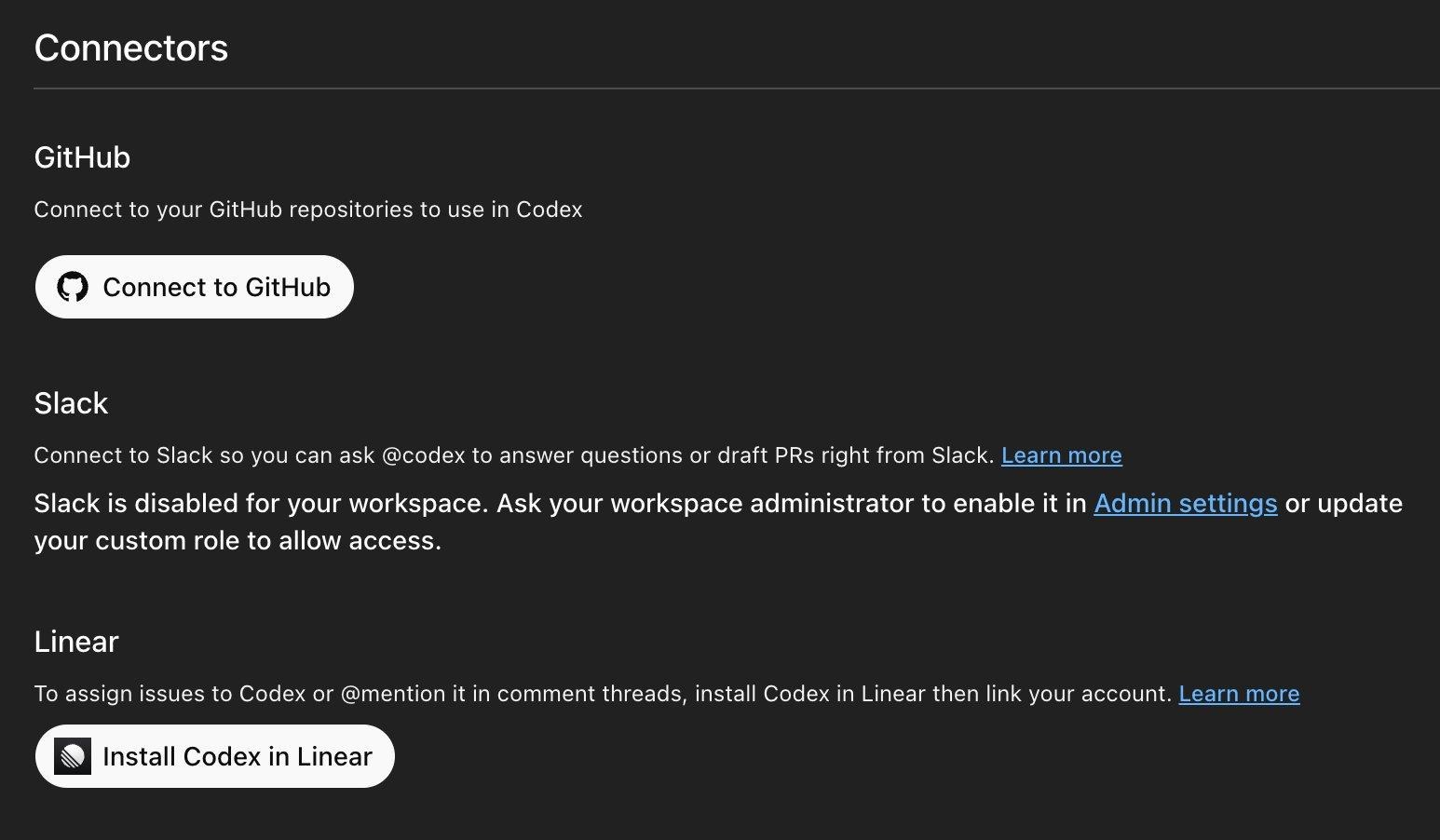
Codex Connectors page showing GitHub, Slack, and Linear integrations. Slack is disabled by default and requires workspace admin enablement. GitHub must be connected for Codex Cloud to function. Each connector expands Codex’s reach so only enable what your team needs.
Codex also confirms that Enterprise automatically disables training, which means your code and conversations are never used to improve OpenAI’s models:
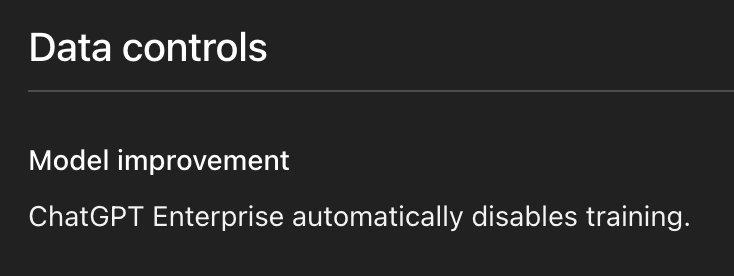
Codex Data Controls: “ChatGPT Enterprise automatically disables training.” No action needed here, but good to verify.
Step 2: Configure the Codex desktop app’s sandbox and approval settings. The Codex app has a robust configuration panel that controls how much autonomy agents get. The two critical settings are Approval policy (when Codex asks for permission) and Sandbox settings (what Codex can do when running commands).
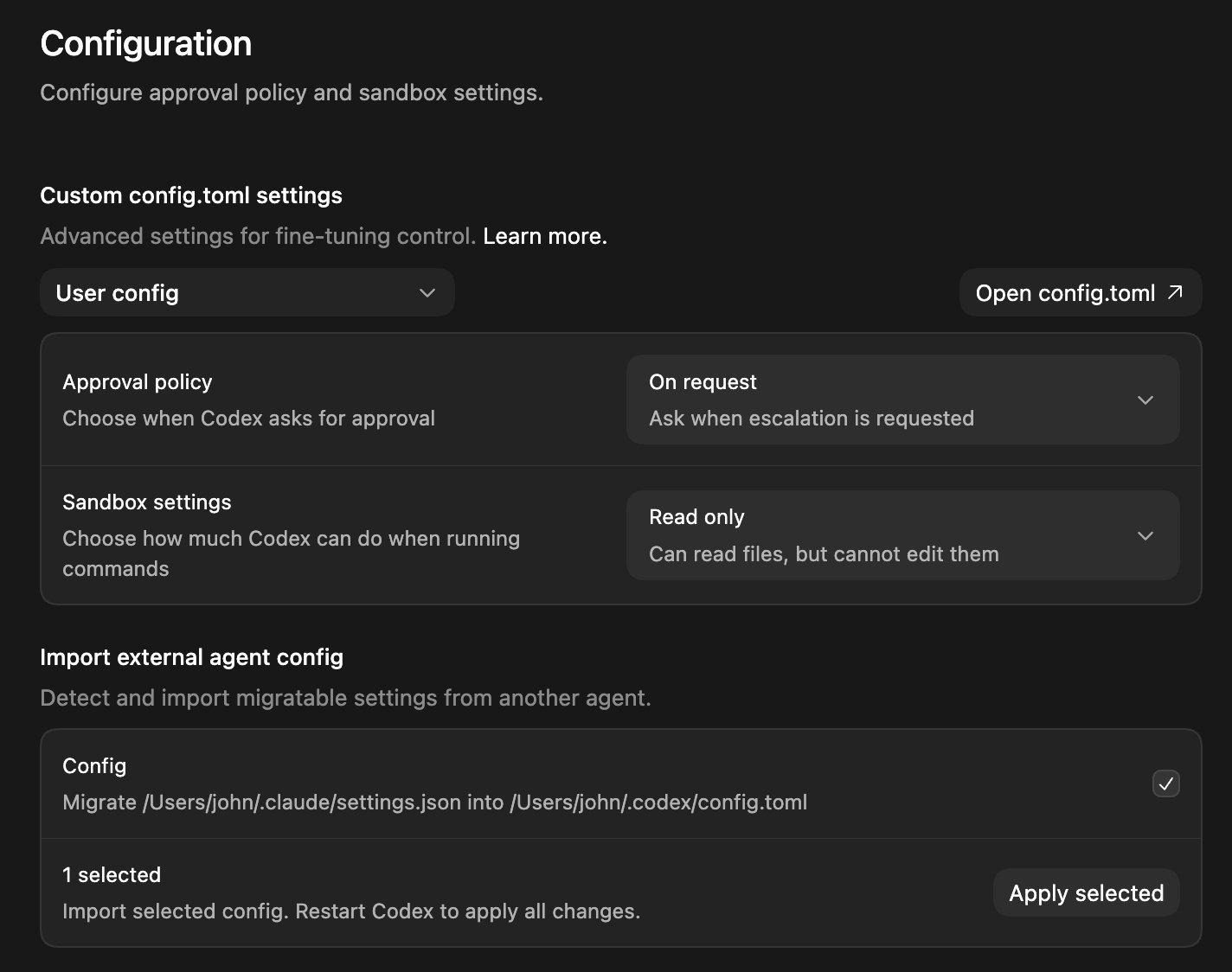
The Codex app Configuration panel. Approval policy is set to “On request” (ask when escalation is needed) and Sandbox settings are set to “Read only” (can read files but cannot edit them). Note the Import external agent config section at the bottom—Codex can migrate settings from Claude Code (/Users/john/.claude/settings.json → /Users/john/.codex/config.toml). (Codex Security docs)
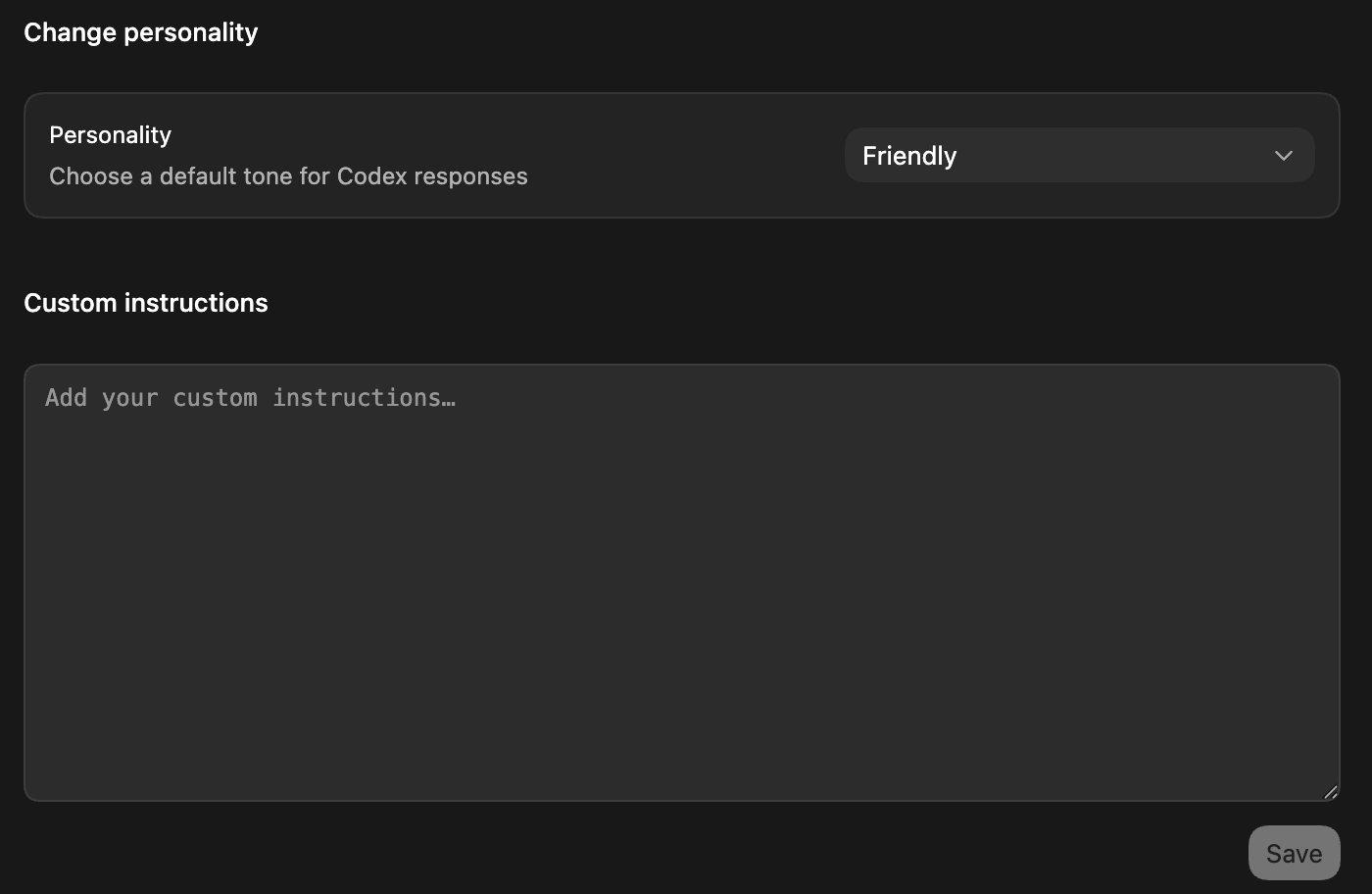
Codex Personality and Custom Instructions. You can set a default tone and add custom instructions that apply to all Codex interactions. Use this for org-wide guardrails like “never commit directly to main” or “always run tests before creating a PR.”
Step 3: Deploy requirements.toml for admin-enforced security policies. This is the most powerful governance tool for Codex. The requirements.toml file is an admin-enforced configuration that constrains security-sensitive settings users cannot override. For ChatGPT Business and Enterprise users, Codex can also apply cloud-fetched requirements from the Policies settings page.
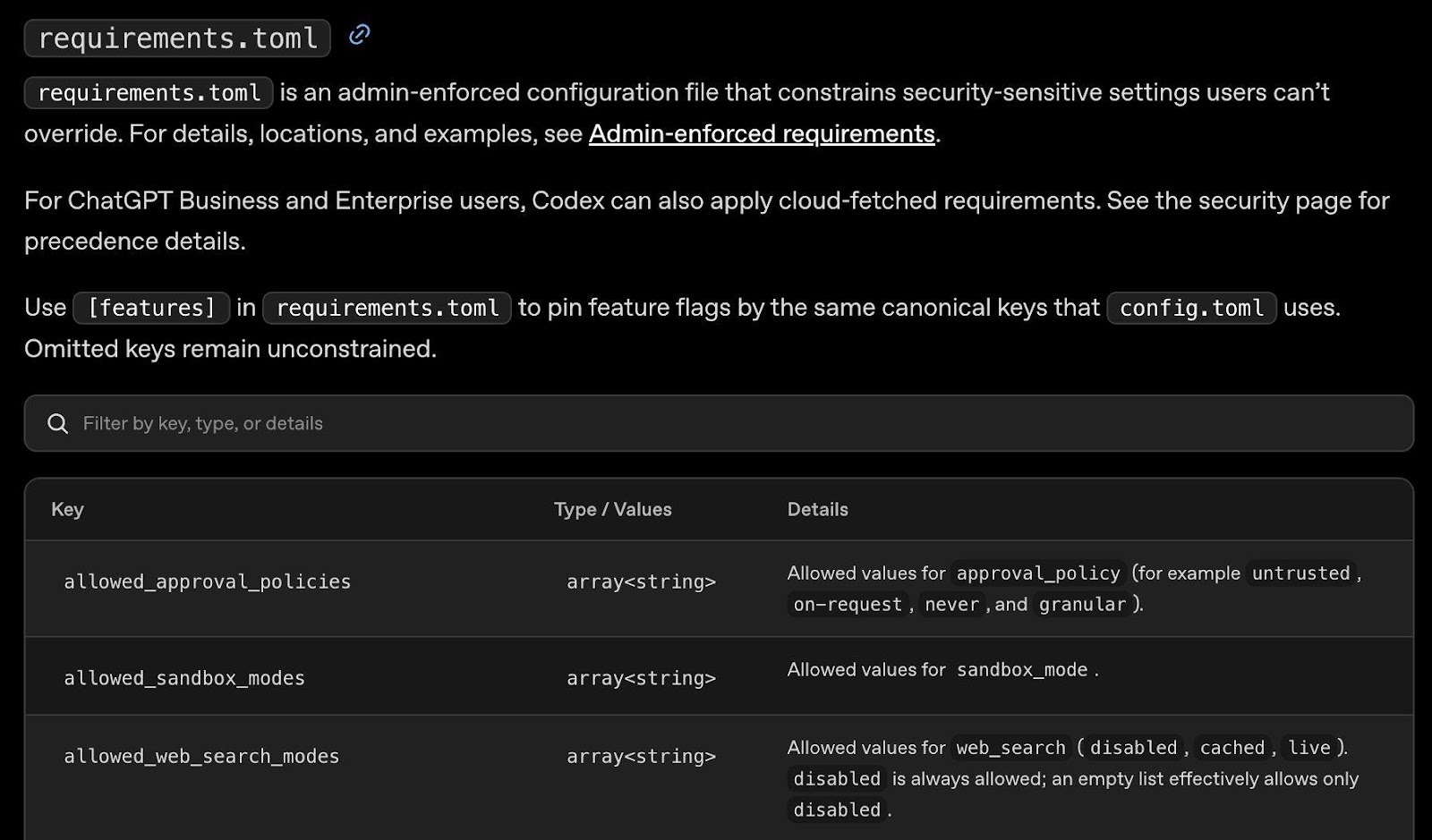
The requirements.toml reference. Key enforceable settings: allowed_approval_policies (restrict to untrusted, on-request, never, or granular), allowed_sandbox_modes, and allowed_web_search_modes (disabled, cached, live). Use [features] to pin feature flags that match config.toml keys. (Managed Configuration docs)
Step 4: Restrict MCP servers via requirements.toml. The only way to set an MCP server allowlist in Codex is through the requirements.toml file. If the mcp_servers section is present but empty, Codex disables all MCP servers entirely. For stdio servers, match on command; for streamable HTTP servers, match on url.
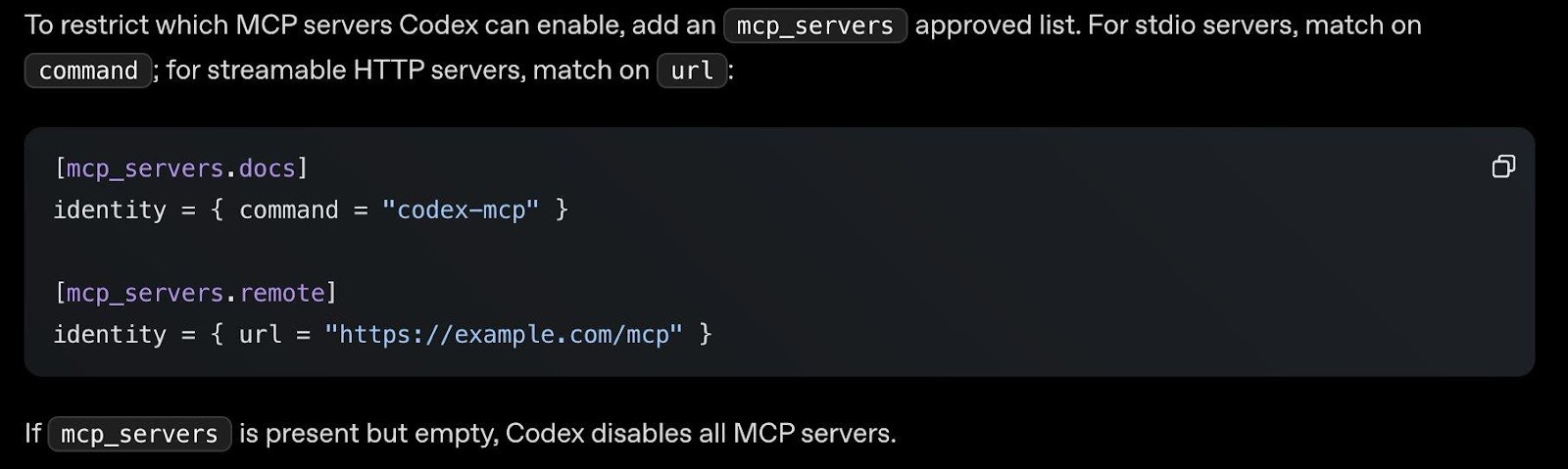
MCP server restrictions via requirements.toml. Add an mcp_servers approved list to restrict which MCP servers Codex can connect to. An empty mcp_servers section disables all MCP servers—a good default for locked-down environments.
The Codex web settings at chatgpt.com/codex/settings/policies provides an overview of all configuration options with tabs for General, Environments, Code Review, Connectors, Usage, Analytics, Data Controls, and Policies & Configurations:
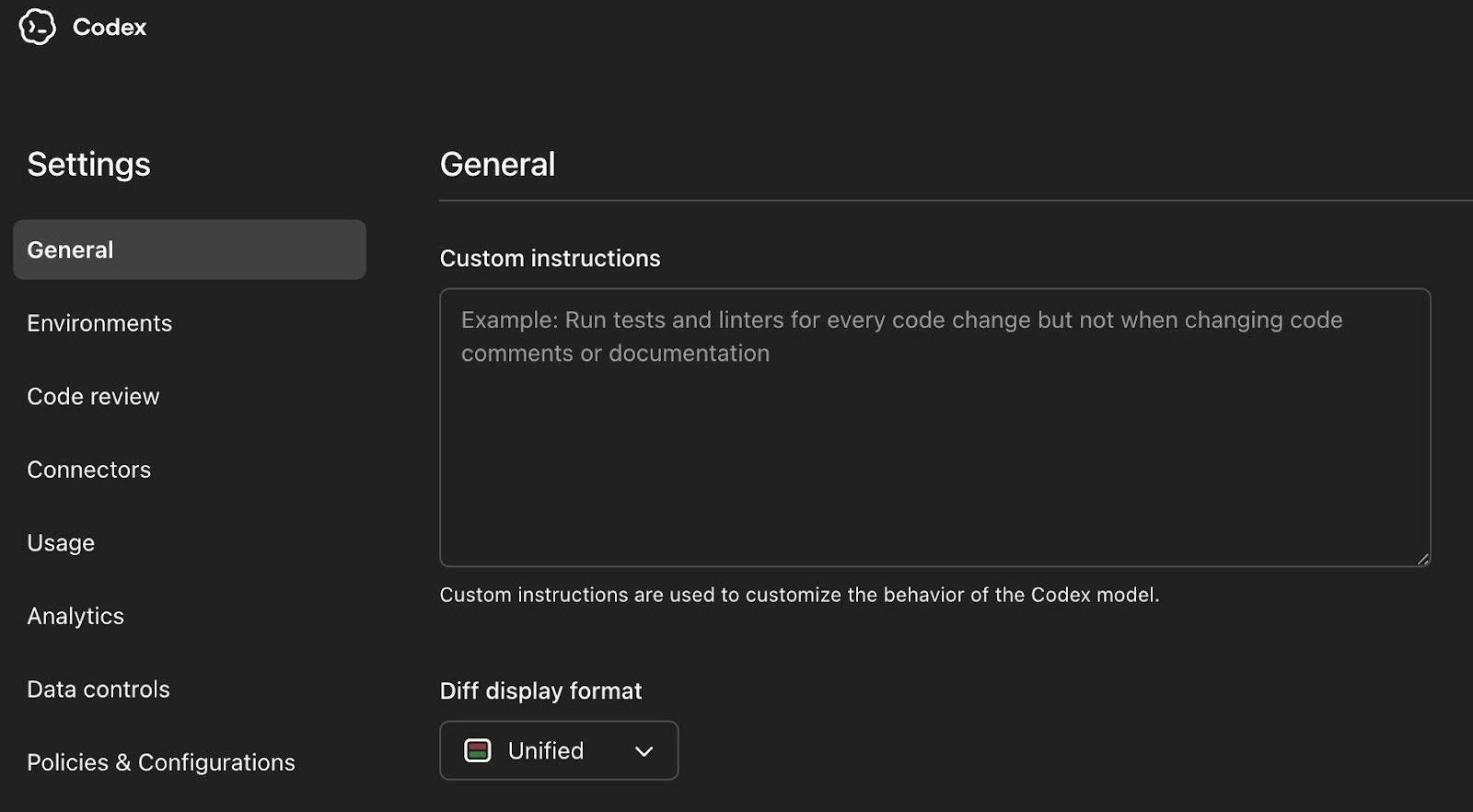
The Codex Settings page showing the full navigation: General, Environments, Code Review, Connectors, Usage, Analytics, Data Controls, and Policies & Configurations. Custom instructions here apply across all Codex surfaces.
Step 5: Rotate credentials after large autonomous runs. After major Codex sessions, rotate any credentials the session could have accessed, especially GitHub tokens and secrets in environment variables. The Feb 2026 branch command injection vulnerability showed Codex agents could be manipulated into leaking GitHub installation access tokens through crafted branch names and PR comments. Post-session rotation is your safety net.
6. Restrict Agent Mode via RBAC and establish guardrails
Agent mode is the highest prompt injection exposure surface in the ChatGPT product family. When you sign ChatGPT agent into websites or enable apps, it can access sensitive data like emails, files, and account settings, and perform actions on your behalf—sharing files, modifying account settings, completing purchases. OpenAI’s own documentation explicitly acknowledges this creates potential privacy risks, including “prompt injection” attacks.
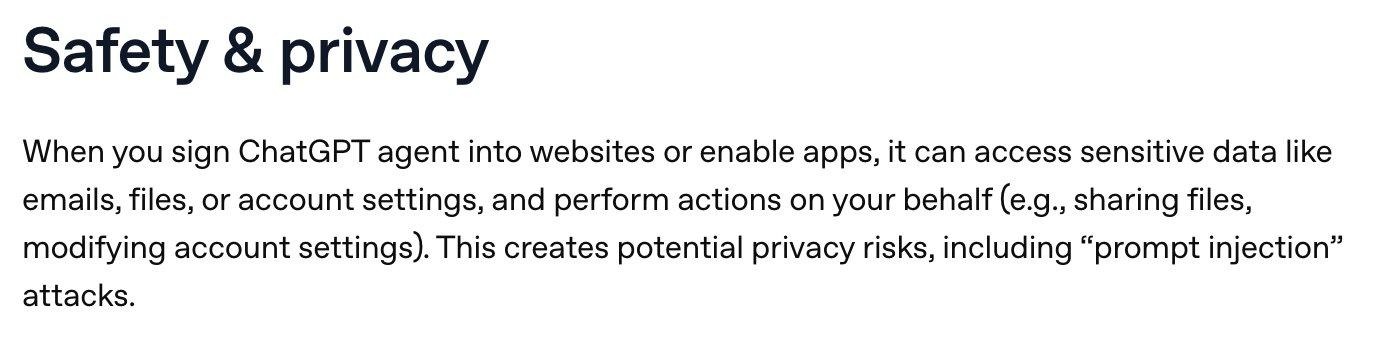
OpenAI’s own Safety & privacy documentation for Agent mode. “When you sign ChatGPT agent into websites or enable apps, it can access sensitive data like emails, files, or account settings, and perform actions on your behalf. This creates potential privacy risks, including prompt injection attacks.”
Agents don’t just browse…they can use your connected apps as data sources during research. Any app you’ve enabled (Box, Gmail, Google Calendar, GitHub, etc.) becomes available to the agent. OpenAI’s documentation warns to “use extra caution when using apps with ChatGPT agent to prevent unauthorized access to sensitive information.”
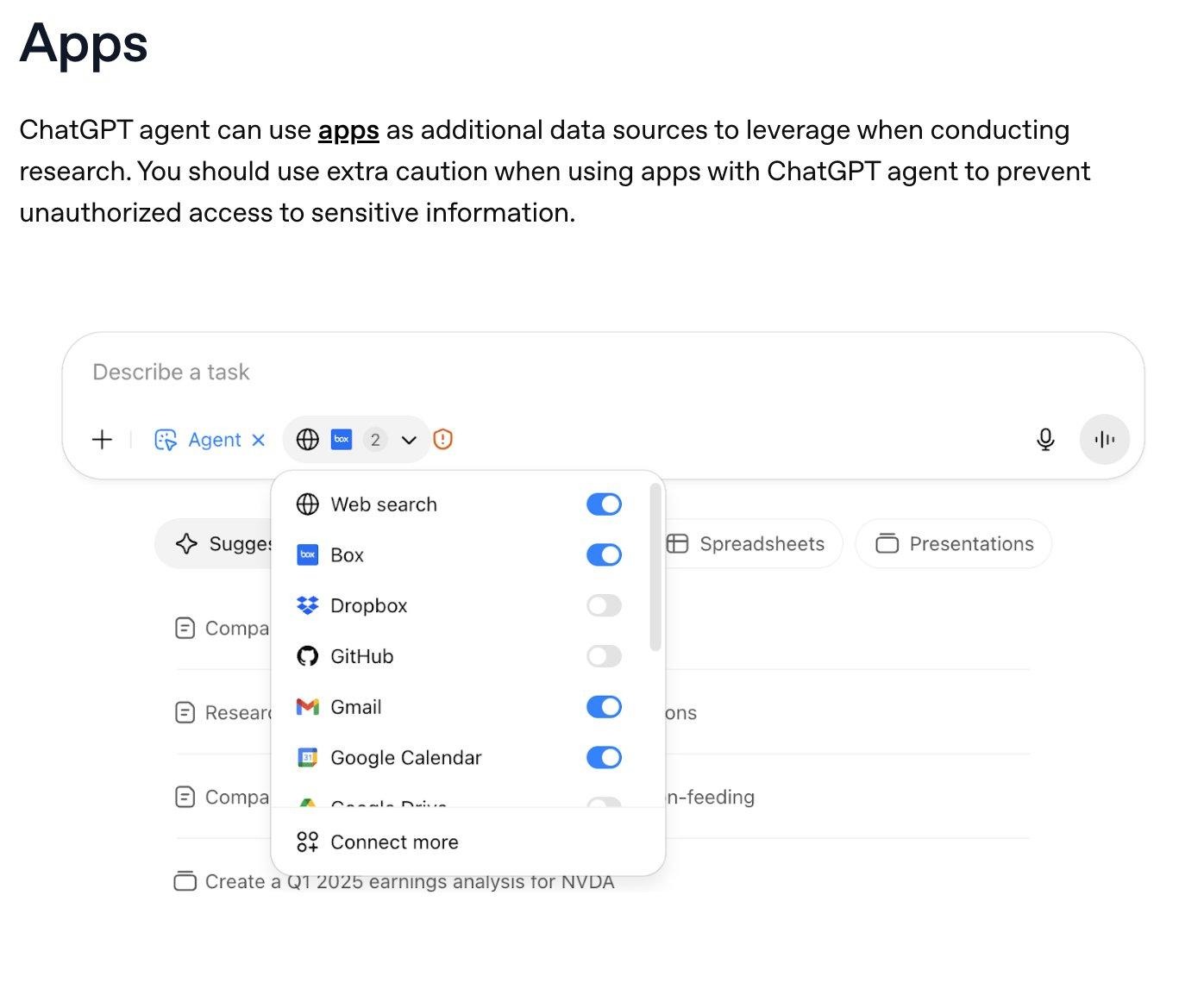
The Agent mode interface showing connected apps available as data sources: Web search, Box, Dropbox, GitHub, Gmail, Google Calendar, and more. Each enabled app is accessible to the agent during task execution. Disable any apps you don’t want the agent accessing.
Agents can also create scheduled recurring tasks—daily, weekly, or monthly—that run autonomously. This means an agent task configured once can continue executing and accessing your connected apps on a schedule without further human approval.
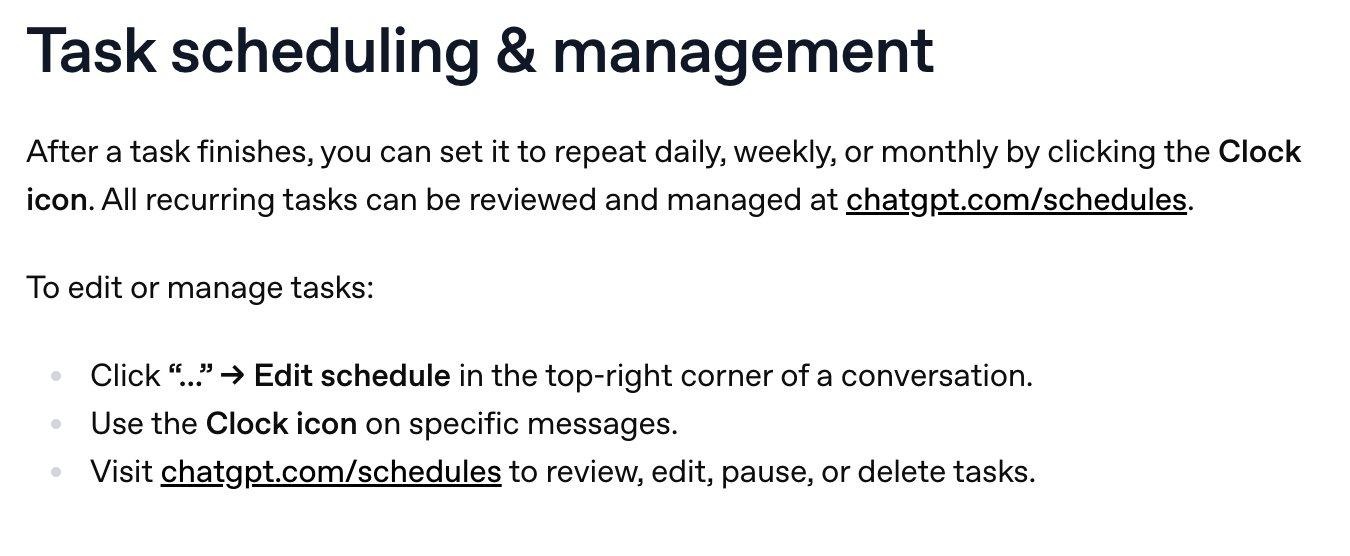
Agent Task scheduling & management. Tasks can be set to repeat daily, weekly, or monthly. All recurring tasks are managed at chatgpt.com/schedules. This is autonomous execution on a schedule—review what’s been scheduled.
The Agent mode toggle is found under Admin Settings → Permissions & Roles, alongside Web search and Deep research. All three are enabled by default. Note the Web search disclosure: when enabled, it may send search queries and general location information to Bing.
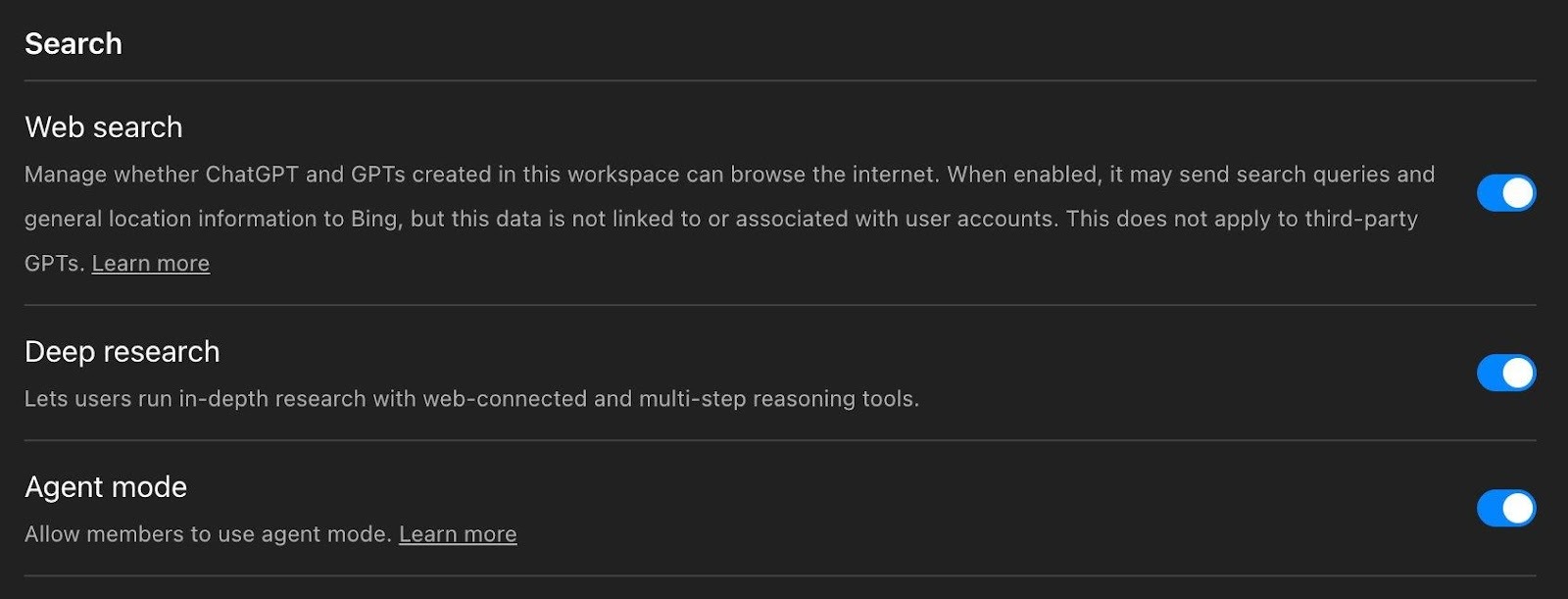
The admin Search settings panel. Web search, Deep research, and Agent mode are all enabled by default. Note the Web search disclosure about sending queries and location data to Bing. Consider whether Agent mode should be on by default for your entire workspace.
Limit Agent mode to a pilot group via RBAC. The toggle controls access across both ChatGPT and Atlas simultaneously. Configure custom Agent instructions with approval checkpoints, and make logged-out mode the default for tasks involving untrusted websites. For the full deep dive on agent capabilities and risks, see OpenAI’s Agent documentation.
7. Review OAuth scopes for Microsoft integrations and check macOS app permissions
OpenAI recently updated scopes for Outlook, Teams, and SharePoint to support new write actions. Your Microsoft Entra ID admins need to review and approve these. Write actions remain disabled by default, but scope authorizations happen at the Entra ID level.
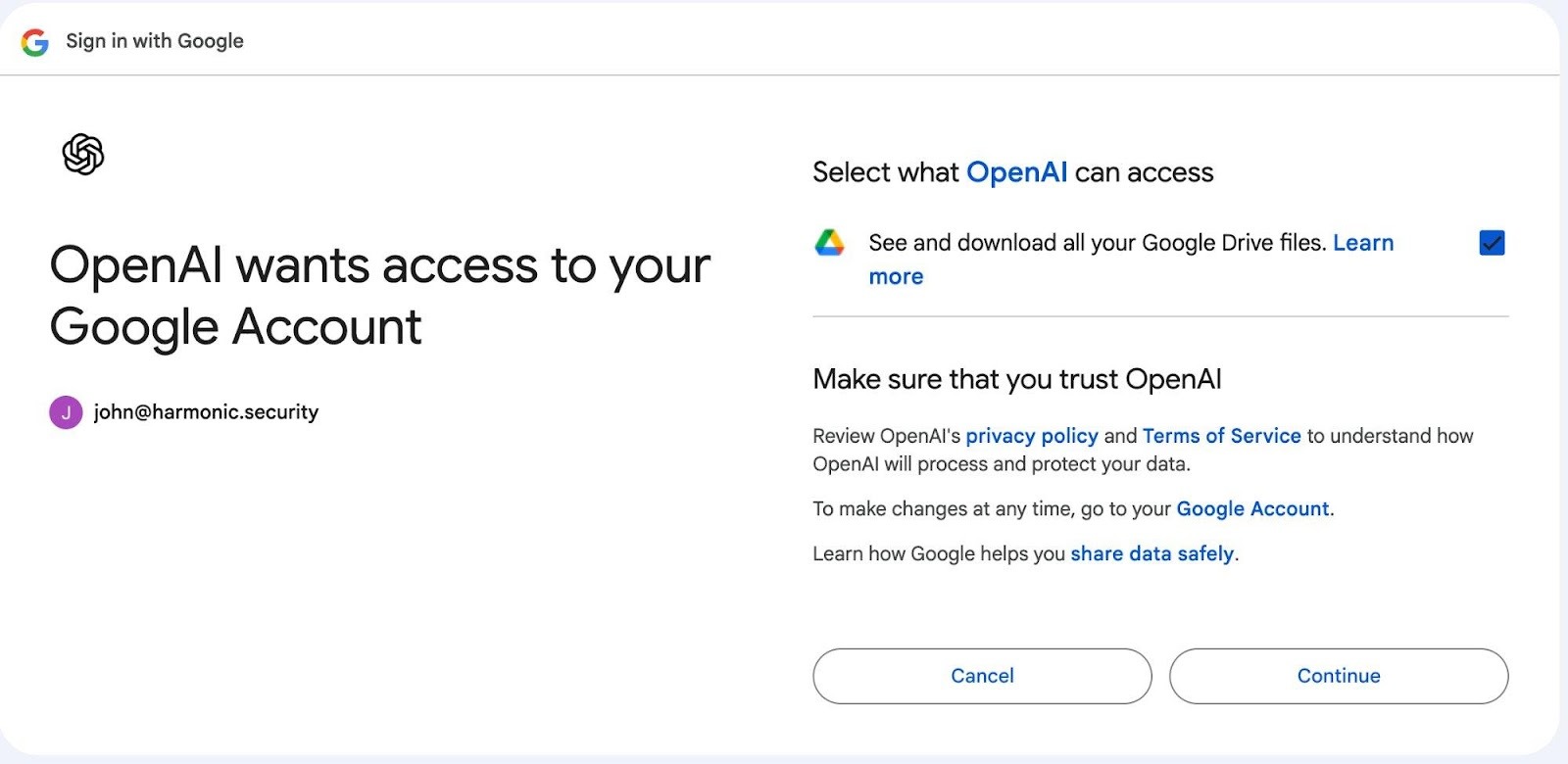
The Google OAuth consent screen showing OpenAI requesting “See and download all your Google Drive files.” Each user authenticates individually but the scope is broad. Review what you’re granting for every app.
Also review the Code on macOS settings. The ChatGPT desktop app can be granted permission to read and edit code files on users’ machines, and Apple Intelligence linking is enabled by default:
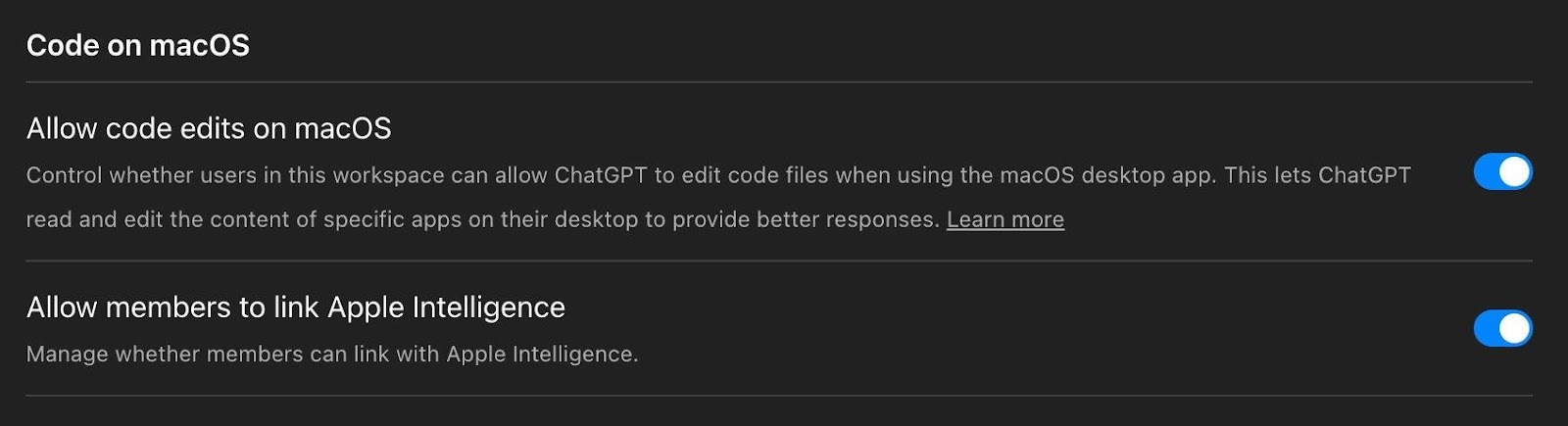
Code on macOS: “Allow code edits on macOS” lets ChatGPT read and edit code files via the desktop app which is enabled by default. Apple Intelligence linking is also enabled by default. Review whether your organization wants these capabilities active.
8. Review GPT creation and sharing permissions
Custom GPTs can include uploaded knowledge files, API actions that call external services, and custom instructions. The workspace settings give you fine-grained control over who can create, publish, and access GPTs:
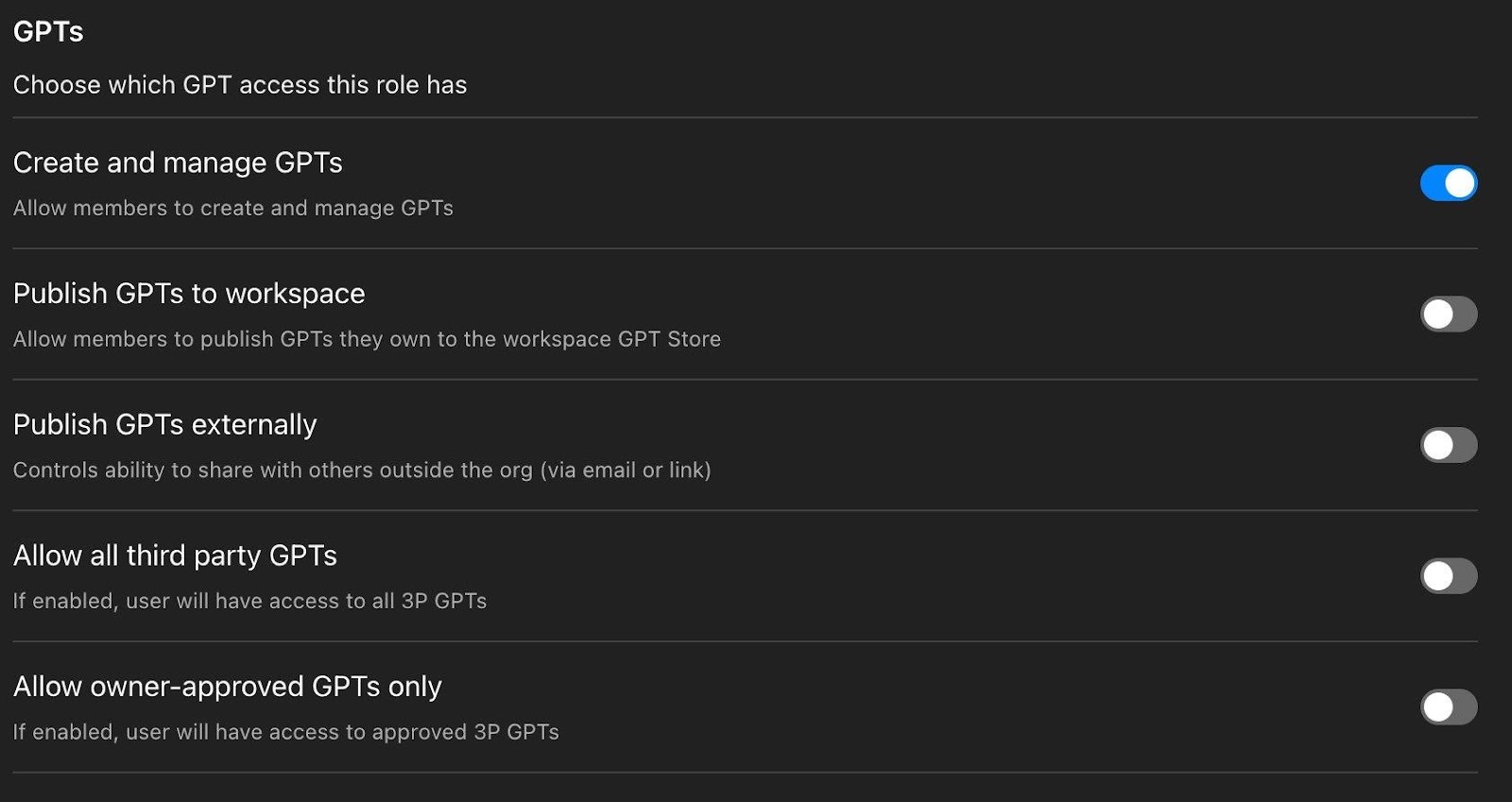
The GPTs permission panel. “Create and manage GPTs” is on by default, but Publish GPTs to workspace, Publish GPTs externally, Allow all third party GPTs, and Allow owner-approved GPTs only are all off by default. These are gGood defaults but it is important to verify they haven’t been changed.
The defaults here are sensible: members can create GPTs for personal use, but cannot publish to the workspace or externally, and third-party GPTs are blocked. Verify these haven’t been changed, and use RBAC to further restrict GPT creation for sensitive teams.
9. Subscribe to OpenAI’s Enterprise release notes
OpenAI ships changes at a pace that makes quarterly reviews inadequate. In the last few months: GPT-5.1 models retired, Google Drive connectors unified with new write actions, Codex plugins launched, Box/Notion/Linear/Dropbox got write capabilities, and Atlas entered beta. Bookmark the Enterprise & Edu Release Notes and review bi-weekly.
Bonus: API Platform Security Defaults Worth Checking
If your organization also uses the OpenAI API Platform, there are additional security settings under Security and Data Controls that are separate from your ChatGPT workspace settings.
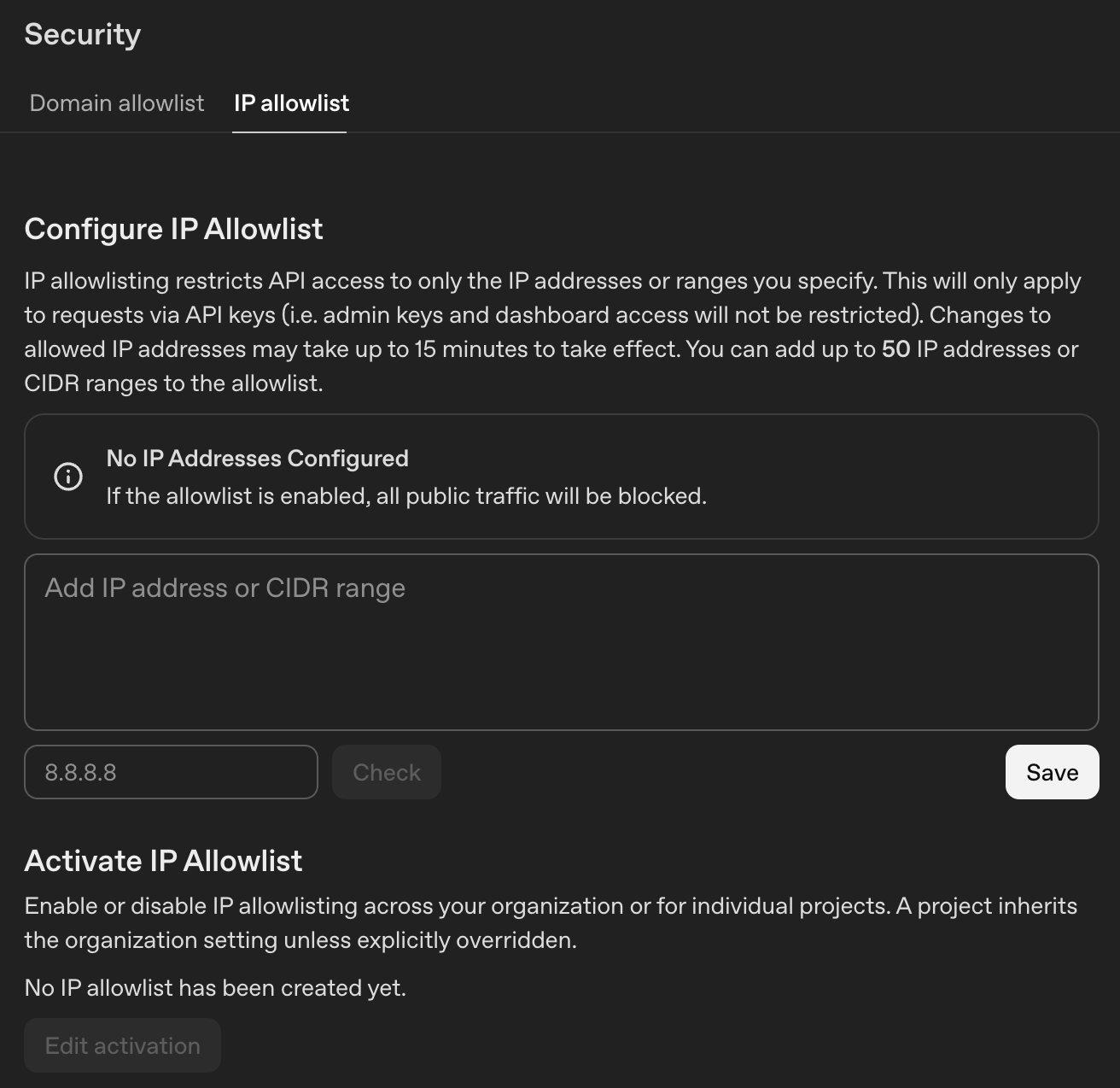
The API Platform’s IP Allowlist. Restrict API access to specific IPs or CIDR ranges (up to 50). This only applies to API key requests: admin keys and dashboard access are not restricted.
The Right Controls Exist, It’s Now Down to You
ChatGPT Enterprise security isn’t about whether OpenAI’s infrastructure is secure. It largely is. The real problem is the unclassified, unmonitored data that flows into it every day—and the expanding surface of connected apps, autonomous agents, and coding tools that most security teams haven’t had time to evaluate.
The actions above don’t require a policy cycle or vendor engagement. They’re configuration changes and monitoring deployments your team can start today. The controls exist. They just need to be turned on, reviewed, and monitored.
.png)
.png)
