
Harmonic Command
Understand AI usage and coach safer behavior at the point of interaction, for humans and AI agents alike.
Overview
Harmonic Command gives security teams complete visibility into how employees and agents use AI, plus the controls to ensure tools are used safely. Inline interventions detect sensitive data the moment it's about to leave the business, then coach the user or agent toward a safer path in milliseconds.
AI now lives everywhere your organization works, from browser-based chatbots to desktop apps like Claude CoWork to autonomous agents acting through MCP servers. Command governs all of it from one platform.

See How AI Actually Gets Used Across Your Business
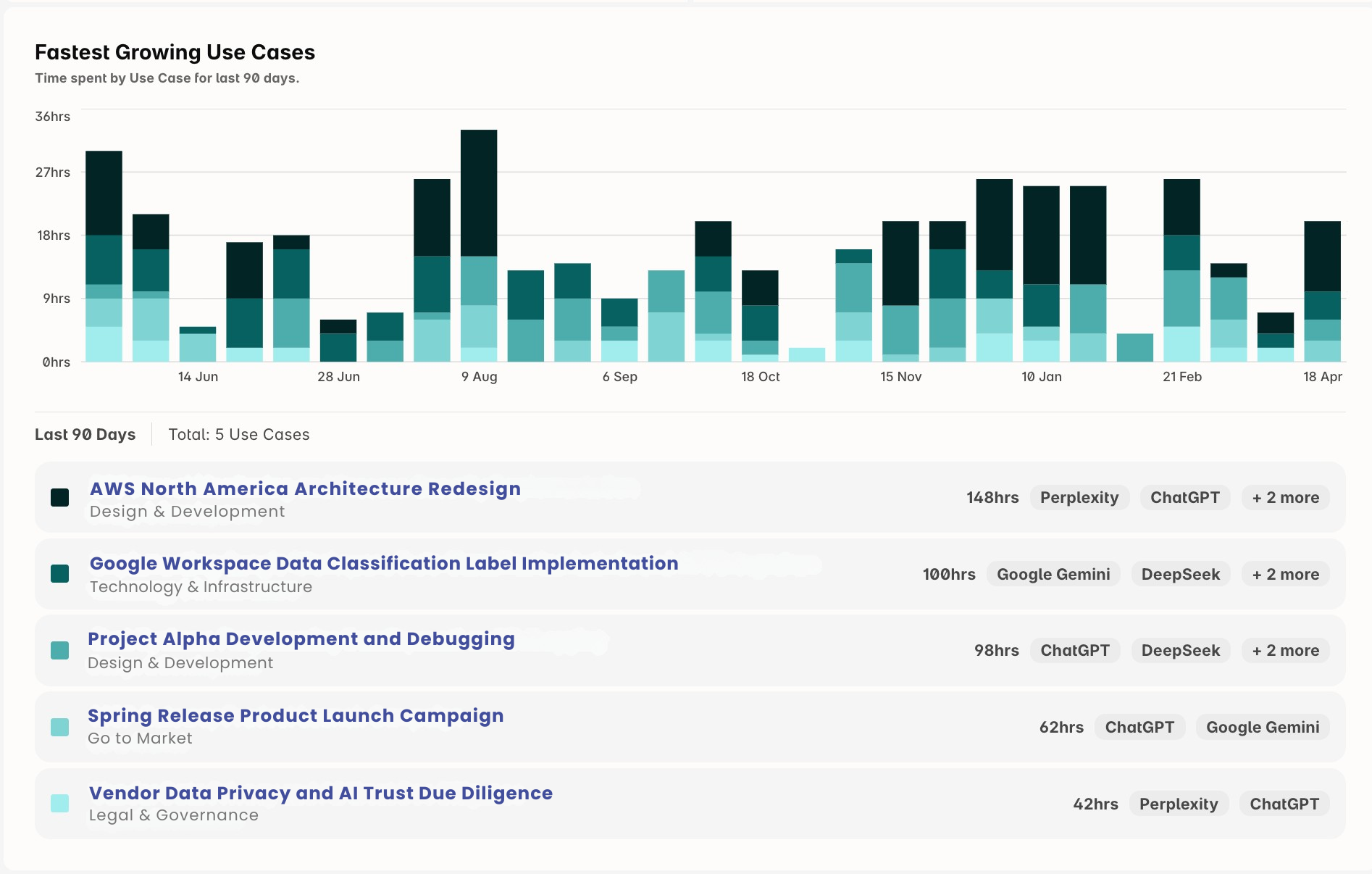
You can't govern what you don't understand. Harmonic Usage Intelligence classifies every interaction into the business use cases driving adoption, turning raw activity into the insight security and AI leaders need to make real decisions.
You see which tools are delivering real productivity gains, which workflows are quietly creating exposure, and where employees and agents are flocking to unapproved options.
Every application carries a risk score built from the factors security teams actually weigh, including whether the vendor trains on your data.
Coach Humans and Agents in Real Time
Traditional DLP looks for patterns. It can spot a string that resembles a credit card number, but it can't tell that an employee just pasted a customer record into an unsanctioned chatbot, or that an agent is about to send proprietary code to a connected tool.
Our small language models read the full interaction and make context-aware judgments in under 200 milliseconds. When risk is identified, Command intercepts the action and guides the user or agent toward a safer path without breaking the workflow.
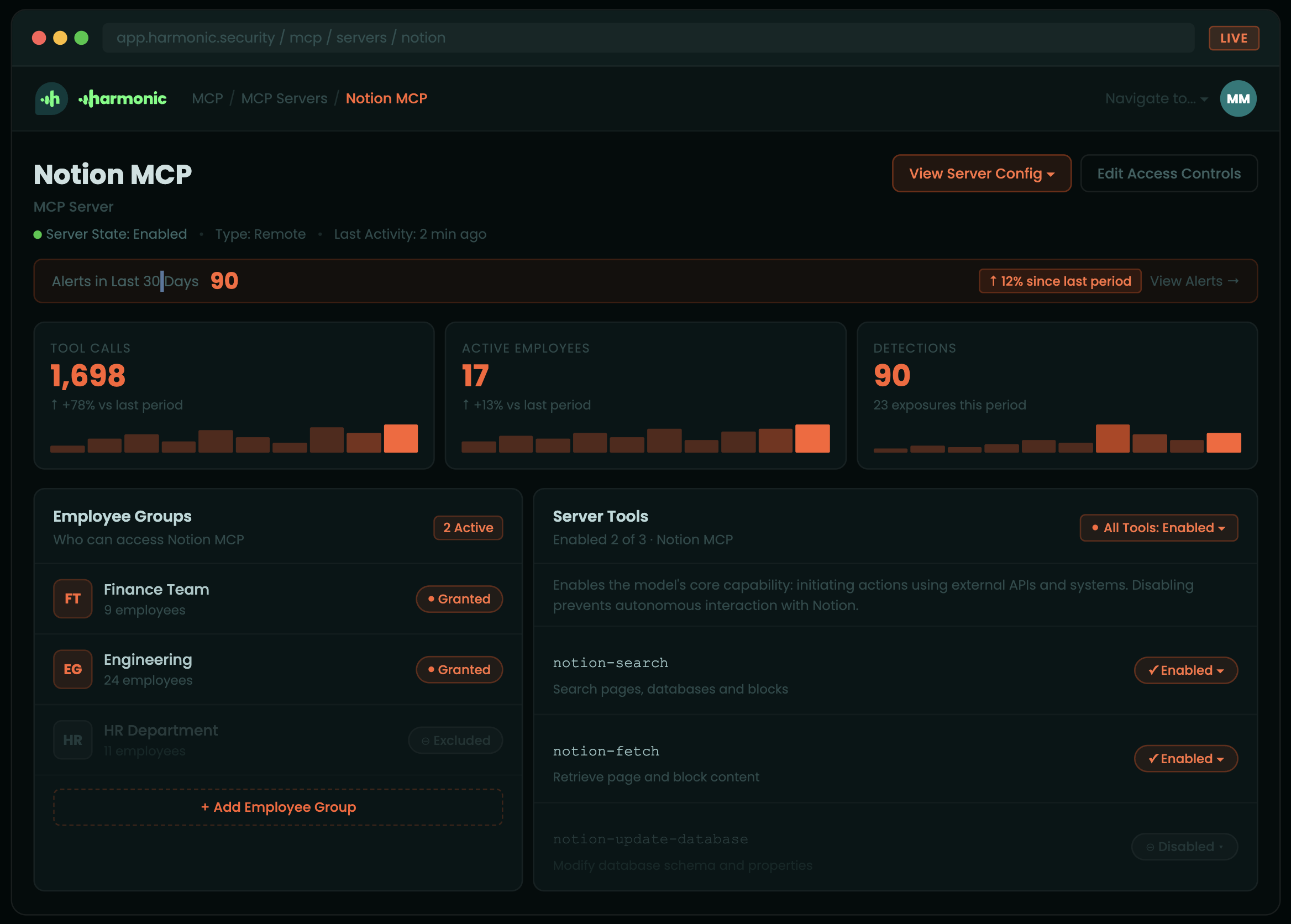
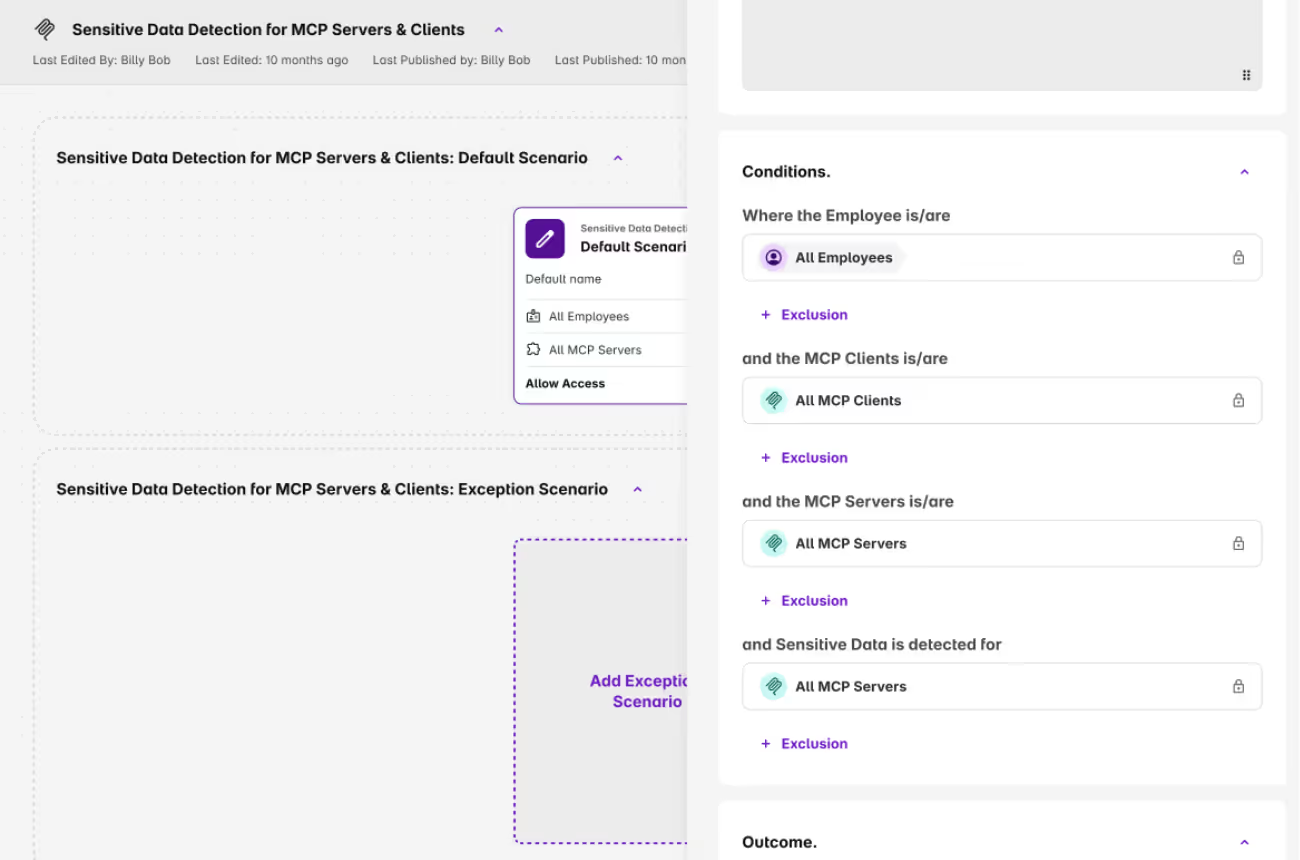
Security teams can also set granular permissions on what agents are allowed to do across connected MCP servers, deciding which systems they can read, write to, and act on.
Helpful Resources


FAQs
Quick answers about Harmonic Security
No. Pattern-matching DLP cannot tell a draft email from a deal memo because prompts are unstructured and contextual. Static rules either flood teams with false positives or get ripped out entirely. We classify the meaning of the work, not the shape of the string. That is what lets us govern inline, where DLP can only monitor.
SASE inspects network traffic to known AI domains. Useful, but it misses everything that does not cross the network: Claude Desktop, Cursor, local MCP servers, embedded AI inside Canva or Salesforce, free-tier accounts on personal devices. Most shadow AI exposure happens on personal devices that never touch the corporate network, which is also where SASE has no jurisdiction. We sit on the device and inside the AI surface itself. That is why we can govern where SASE can only observe, and why we cover the agent layer SASE never reaches.
Purview gives you visibility inside Microsoft, on Microsoft tools, with Microsoft pattern matching. Real AI usage is not Microsoft-only. We see the full stack across vendors, including the long tail and the agentic surfaces, and we govern with intent classification rather than regex.
You can, and it's a reasonable starting point. The problem is that AI no longer lives only in the tools you evaluated. Google AI mode is built into Search. Salesforce Einstein runs inside your CRM. Copilot ships with every Microsoft 365 license. Canva, Grammarly, Notion, and most of your SaaS stack now have AI features that activate whether or not you toggled them on. Whitelisting governs the standalone tools you approved. It does not reach the AI embedded in the tools you already use every day.
Depends on what you want to happen. You can block in real time, warn the employee with context about why the action is risky, or log silently for security team review. Most customers start with warn-and-log during rollout, then move toward inline blocking for the highest-risk categories once they understand the patterns. The governance layer is yours to configure. We do not impose defaults that shut down legitimate work.
This is the problem most security platforms cannot see yet. When an agent reads a file, calls an API, writes to a database, and emails a summary, all without a human in the loop, there is no browser request to inspect and no prompt to classify at the keyboard. We govern at the MCP layer and at the tool surface, which is where agentic workflows execute. Policy follows the action, not the person.
HR, Finance, Ops, and Founders are excluded from reporting by design. Employee names can be masked in the portal. The dataset is sanitized and frozen. EU hosting is available on request. The design principle is that security teams need risk visibility, not a feed of individual employee behavior. We made the hard restraint choices in the product so you do not have to defend them in every internal review.
Minutes. Roll out through Intune, JAMF, Kandji, or Group Policy. The browser extension covers all browsers and MCP gateway run on Windows, macOS, and Linux. No proxy redesign, no certificate gymnastics, no long onboarding. On day one you get a full inventory of AI tools in use across your organization. By the end of the first week, most security teams have a clearer picture of AI data exposure than they have had in years.
Browsers (Chrome, Edge, Firefox, Safari, Arc, Brave, Vivaldi, Island, Genspark, Comet, Dia). Desktop AI (Claude Desktop, ChatGPT Desktop, Cursor, Windsurf). Agents and MCP (Claude Code, Cowork, custom MCP servers). Embedded AI (Canva, Grammarly, Google AI mode). Plus the long tail of 1,000+ web AI tools the catalogue updates every week.
Yes, though compliance is a byproduct of good governance, not the other way around. The EU AI Act requires organizations to manage high-risk AI use and maintain logs of consequential AI-assisted decisions. GDPR creates exposure whenever personal data enters AI tools hosted outside the EEA. Our data classification and logging give you the audit trail, the data residency controls, and the ability to demonstrate that AI use in your organization operates within defined boundaries. Documentation mapping our controls to specific regulatory requirements is available on request.
Build Your AI Guardrails Now
Gain the visibility and control you need to guide AI use with confidence.