
Feedback Examples
Harmonic Security uses Feedback provided by users of the application to ensure model accuracy. That Feedback is provided via the user interface screens as shown below.
This Feedback may be provided on a few different screens of the Service.
1. Administration Portal: Security Administrators using the portal application may provide direct Feedback relevant to a particular Alert they are inspecting. This Feedback is communicated via a thumbs up/thumbs down icon as shown in the screenshot below. Feedback is gathered from a small number of Admin Portal users.
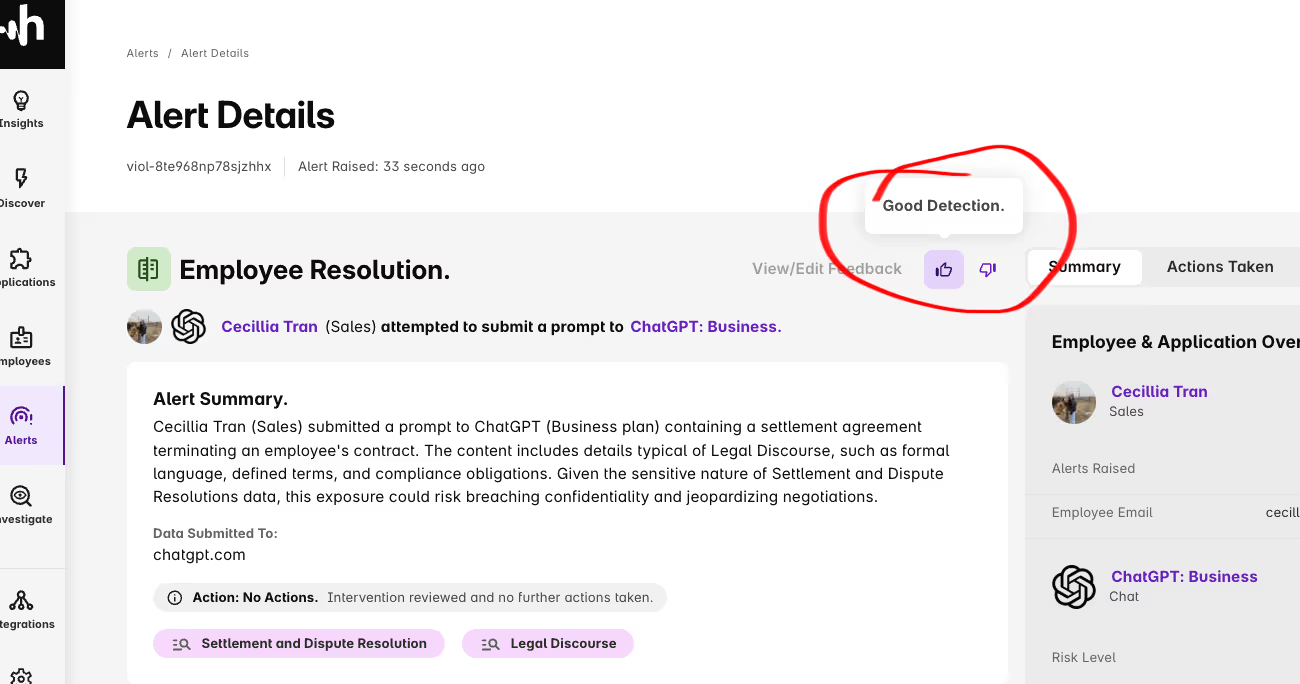
2. Service Interventions: “How did we do? let us know!” Feedback as seen in the example of an intervention. Employees at the Customer may participate in providing Feedback to Harmonic when an intervention is shown.
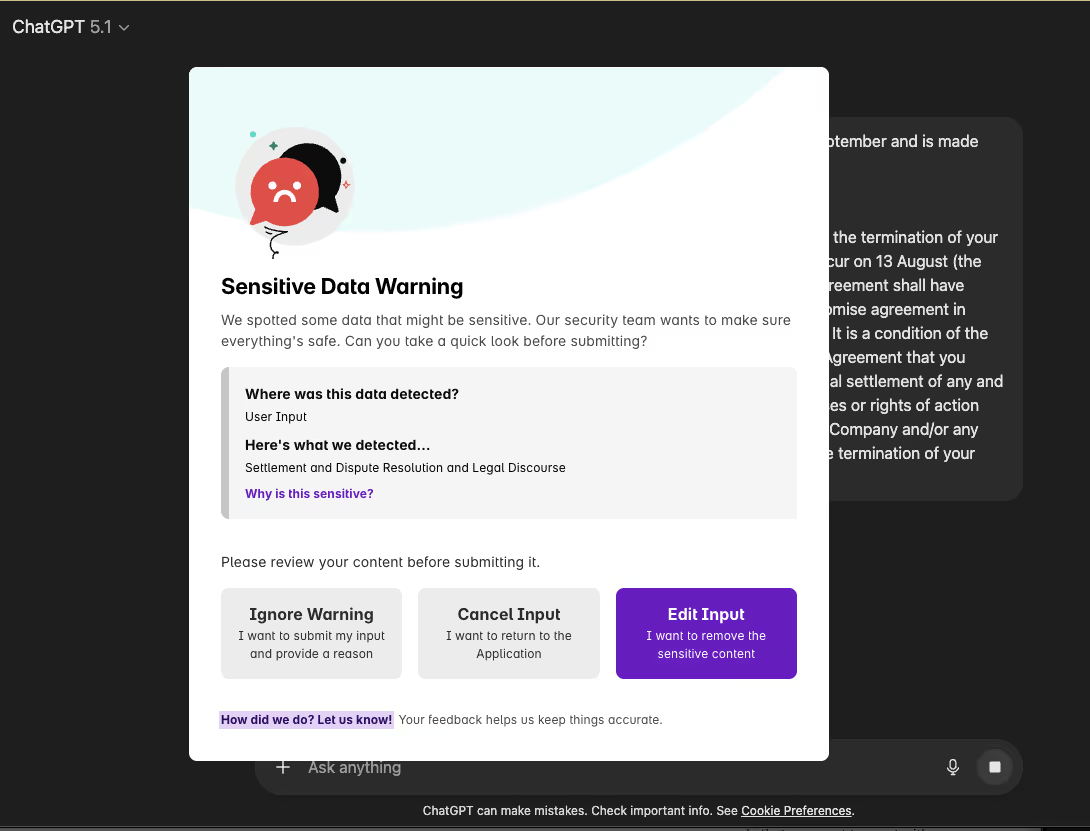
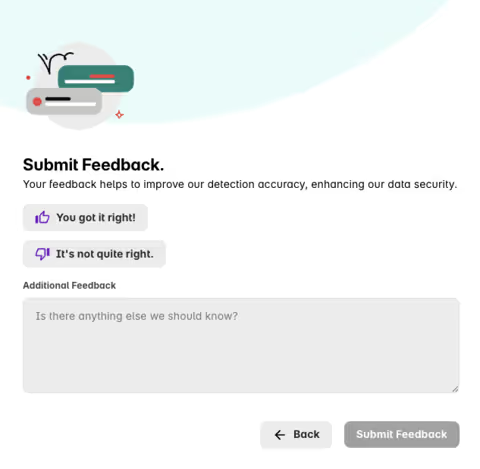
3. Submit Feedback: The Employee may click on the “How did we do” link which then presents the Feedback screen as shown below which allows them to submit Feedback to Harmonic.As noted in the screenshot, Feedback helps Harmonic improve detection accuracy and enhance data security.
Build Your AI Guardrails Now
Gain the visibility and control you need to guide AI use with confidence.